
Tag: Android 9

  • Google Introduces QR Code Verification in Messages Beta

    Google Introduces QR Code Verification in Messages Beta

    Key Takeaways

    1. Google is introducing a new QR code method for verifying secure messaging, replacing the old 80-digit code system.
    2. The updated feature is available in the Messages beta app for devices running Android 9 or newer.
    3. Users must join the Google beta program via the Play Store to access the new verification feature.
    4. To verify encryption, users can scan each other’s QR codes through the “Security and privacy” tab in the app.
    5. A worldwide rollout of this feature is planned by 2025, with future support for third-party messaging apps.


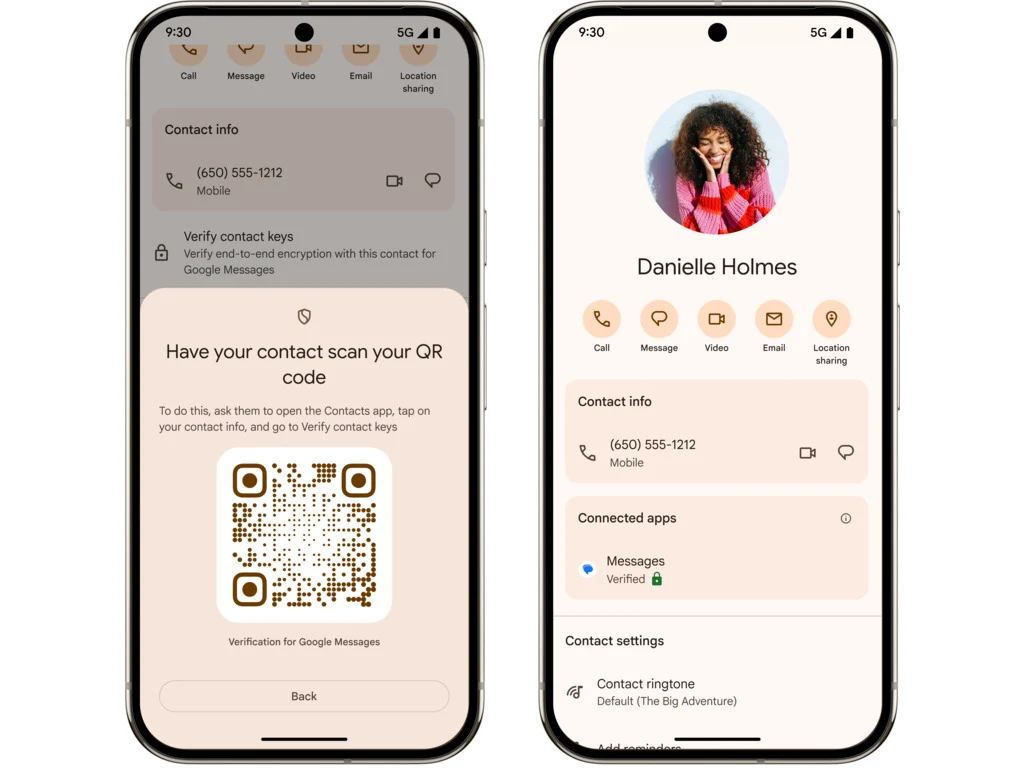
    Google is rolling out a new way to make sure you’re messaging the right person in the Messages beta. This replaces the old method of using an 80-digit code to confirm secure encryption with a contact.

    Simplified Verification Process

    The updated QR code method makes things easier for users. Now, you can simply ask the other person to scan your QR code, and you can do the same for them. This feature is currently being made available in the Messages beta app for devices that run on Android 9 or newer.

    Joining the Beta Program

    As noted by 9to5Google, to get access to this new feature, you will need to enroll in Google’s beta program. You can do this by going to the Google Messages app page on the Play Store, scrolling down, and clicking the “Join” button found in the “Become a beta tester” section.

    After signing up, you should receive an update for your Messages app. To use the new feature, tap on a conversation and then select your contact’s name to open their details page. Scroll down to find the end-to-end encryption card and select “Verify encryption.”

    Security Options Available

    This will take you to a new “Security and privacy” tab where you can choose “Verify keys for this contact.” If you tap on this, you’ll see the option to “Scan the QR code,” and they can do the same. Google is planning for a worldwide rollout by 2025, and it aims to also include support for third-party messaging apps once it’s fully launched.

    Source:
    Link


  • Portronics Pico 13 Projector: 3500 Lumens Brightness & 4K Support

    Portronics Pico 13 Projector: 3500 Lumens Brightness & 4K Support

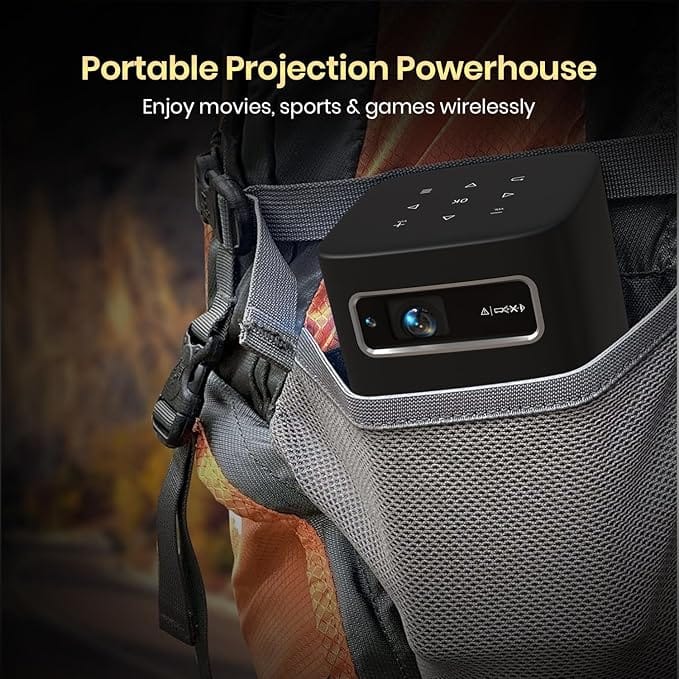
    Portronics has added a new member to its well-known Pico series of portable projectors with the introduction of the Pico 13. This model succeeds the Pico 12, which was released in November of last year, featuring refined design elements and improved specifications.

    Dimensions and Weight

    In terms of size, the Pico 13 measures 20 x 24.5 x 10 cm and has a weight of 1.39 kg (3.06 lb), making it easy to carry around. This DLP smart projector uses an LED light source that provides a brightness of up to 3,500 lumens. However, it is important to note that these lumens are not ANSI lumens, so we suggest being cautious about the brightness claims. The projector supports a native output of 1080p at 60 Hz, but details about the type of SoC and the amount of RAM remain unclear. Additionally, there isn’t any information regarding its color space coverage and color accuracy.

    Image Quality and Features

    The small projector is capable of displaying an image size of up to 120 inches (~305 cm) diagonally. It includes an auto keystone correction feature to simplify the initial setup process, but users will need to manually adjust the sharpness using a focus wheel.

    The device runs on an Android 9 operating system, which, despite being somewhat outdated, is said to be compatible with popular OTT services such as Prime Video, Disney+ Hotstar, Netflix, YouTube, among others. It comes with 10W built-in speakers, and users can connect external speakers through Bluetooth or a 3.5mm audio jack.

    Connectivity and Battery Life

    This projector includes standard connectivity options such as WiFi (likely Wi-Fi 6), HDMI (the specific version is not mentioned, but it should be 1.4b to support 4K 60 Hz video signals), USB-A, USB-C, and Bluetooth. The internal battery charges through USB-C and is claimed to offer up to 3 hours of continuous playback, which means you could watch a whole movie on one charge. It’s important to remember, though, that using the projector at full brightness will significantly drain the battery.

    The Portronics Pico 13 is available for Rs 31,499 (~$375). For a limited time, you can purchase it on Amazon India at an introductory price of Rs 26,999 (~$321).


    Image 1
    Image 1