Key Takeaways
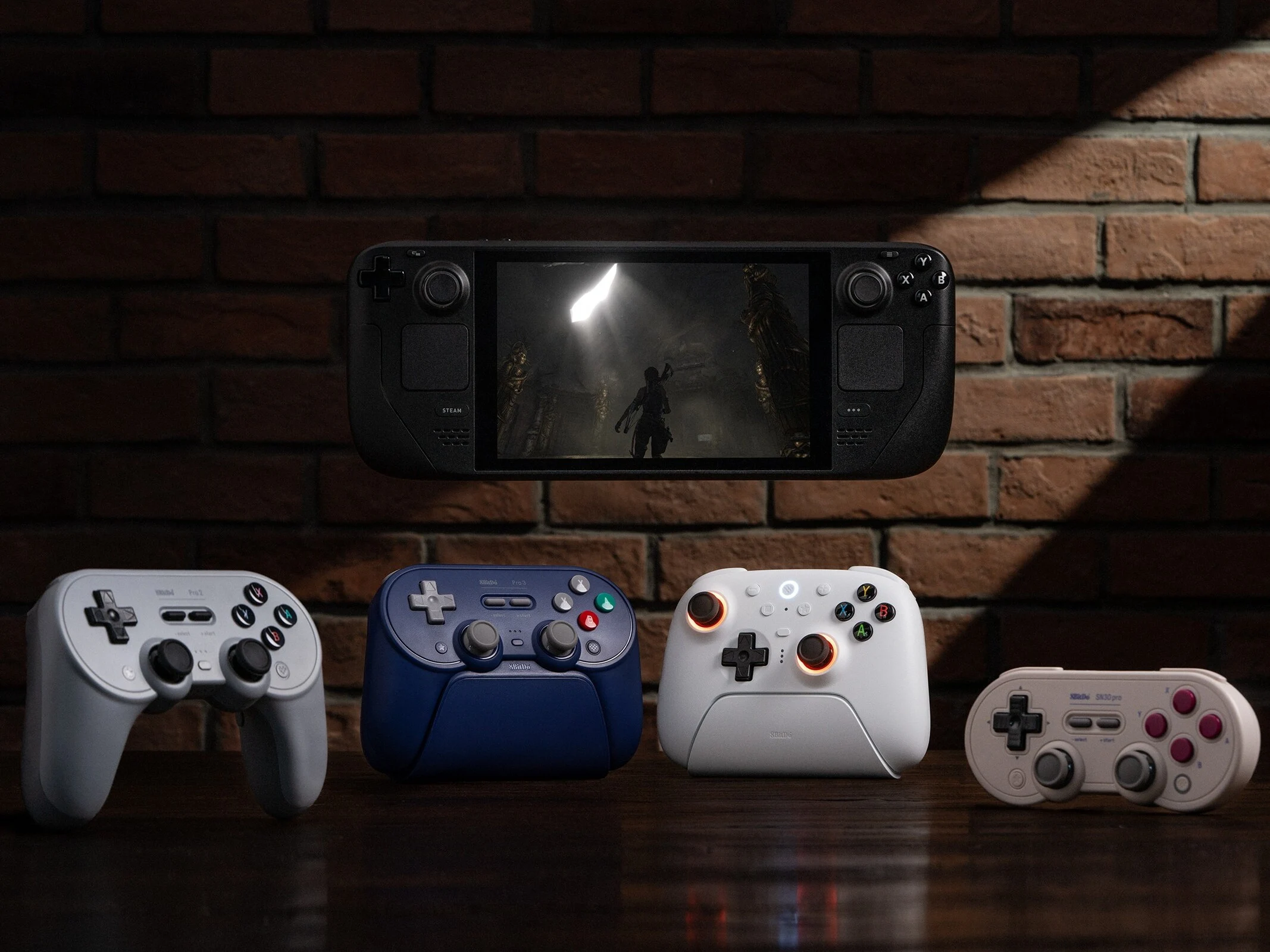
1. 8BitDo offers several controllers compatible with SteamOS devices like the Steam Deck and Lenovo Legion Go S.
2. Compatible controllers include the 8BitDo Pro 2, Pro 3, Ultimate 2, and SN30 Pro, with pricing starting around $32.84.
3. Connection methods vary: some controllers support both Bluetooth and wired connections, while others only use Bluetooth.
4. Ensure your SteamOS device and the controller are updated to the latest version before connecting.
5. To connect via wired mode, follow specific steps and adjust settings in the Controller menu of the Settings app.
8BitDo offers a wide range of controllers, but only some are specially designed to be compatible with devices that run on SteamOS, like the Steam Deck and the Lenovo Legion Go S SteamOS (check out our review for more info).
Supported Controllers and Pricing
The compatible controllers include the 8BitDo Pro 2 Bluetooth controller, 8BitDo Pro 3 Bluetooth Controller, 8BitDo Ultimate 2 Wireless Controller, and the SN30 Pro Bluetooth controller (currently priced at $32.84 on Amazon). However, keep in mind that the way you connect these controllers varies: while a few can connect through Bluetooth or wired options, others are limited to only Bluetooth connections. Below is a breakdown of the connection methods for each controller:
Connecting to SteamOS Devices
If you happen to have any of the controllers listed, here’s how you can link them to a SteamOS device like the Steam Deck, the Legion Go S (SteamOS version), or any other handhelds that are officially supported by SteamOS. Prior to starting, make sure you have updated your Steam Deck or any SteamOS device to the latest version. Also, don’t forget to update your controller using the right app or software.
Wired Connection Steps
To connect your controllers in wired mode, simply follow these steps:
After you successfully connect the controller, you can adjust its settings by going to the Controller menu in the Settings app. Users have the option to rename their controller, enable or disable rumble, or even switch to Nintendo’s button layout.
Source:
Link