
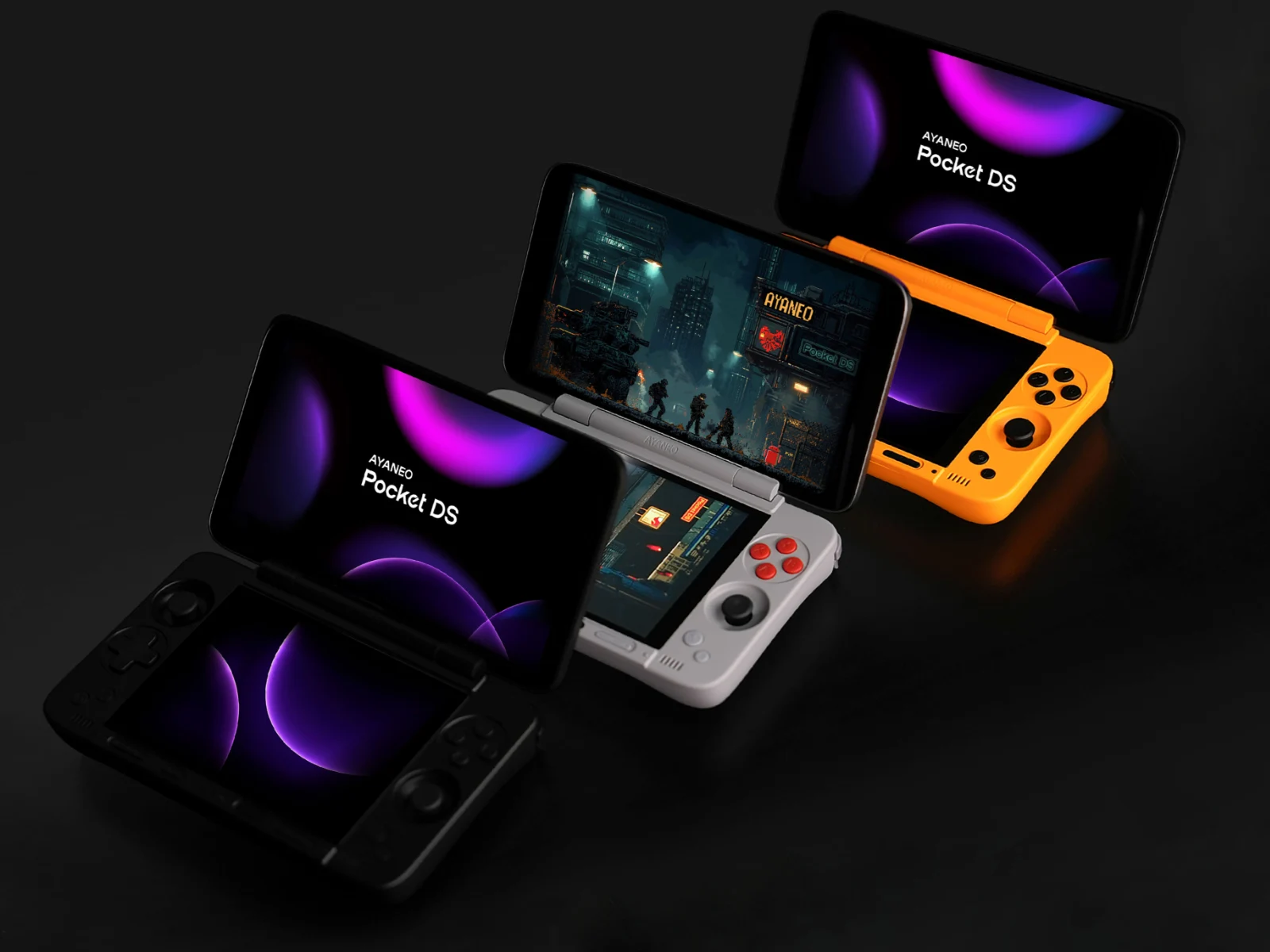
Key Takeaways
1. The Ayaneo Pocket DS features a custom launcher called Ayaneo DS Launcher, allowing app organization and an app drawer for easy access, though the alphabetical scrolling feature is still in progress.
2. The secondary screen will offer a card-style multitasking menu, enabling users to manage applications with a three-point hamburger menu for closing or sending apps to the home screen.
3. The Quick Control Center on the secondary screen allows users to toggle Bluetooth, Wi-Fi, light/dark modes, and includes a brightness slider and shortcuts for screenshots and screen recording.
4. The Focus Lock feature provides three modes for screen usage, allowing users to lock focus on either the main or secondary screen, regardless of touches on the other screen.
5. The Pocket DS is compatible with the melonDS emulator and Rocknix OS, and is available for pre-order on Indiegogo, starting at $399, with shipping expected in October.
Ahead of the launch of the AYANEO Pocket DS, the company has shared insights on how the software in this dual-screen Android handheld will function. This information includes not only how the two displays will collaborate but also outlines which features are finished and which ones are still being worked on.
Custom Launcher Features
The Ayaneo Pocket DS will come equipped with a specialized launcher known as Ayaneo DS Launcher. This launcher will feature an app drawer that allows users to access all applications with a single click. Additionally, users will have the ability to organize apps based on their preferences. Ayaneo has also disclosed that users will be able to scroll through apps alphabetically for easier access. However, this particular feature is not yet complete, unlike the other two mentioned.
Multitasking and Control Options
Images released by Ayaneo illustrate that the secondary screen on the Pocket DS will showcase a card-style multitasking menu when the Task tab is activated. Each application will include a three-point hamburger menu that provides options to either close the app or send it to the main/home screen. Another image indicates that when an app is displayed in full screen on the bottom screen, users can choose to close it, send it to the home screen, or minimize it using a control bar.
Quick Control Center
An additional feature of the secondary screen is the Quick Control Center. This menu can be accessed by selecting the Control tab at the bottom of the screen. The Quick Control Center will enable users to toggle features like Bluetooth and Wi-Fi on and off, or switch between light and dark modes. It will also include a brightness slider for both displays, as well as shortcuts for taking screenshots, screen recording, and dimming the main display.
Ayaneo has also finalized a function called Focus Lock, which offers three modes for utilizing the two screens. The modes consist of “Auto Switch,” which lets users automatically shift focus between screens by tapping on them. The other two modes, “Lock Main Screen” and “Lock Secondary Screen,” do exactly what their names imply, keeping focus locked on the main or secondary screen respectively. Therefore, even if you touch the other screen, focus will remain on the locked screen.
Compatibility and OS Support
In addition to outlining the software features, Ayaneo has confirmed that the well-known Nintendo DS emulator, melonDS, has been tested and is confirmed to work with the Pocket DS. This feature was introduced in version v0.2.0 of the Android app. The changelog shared by the developer also mentioned that compatibility with the Pocket DS will also benefit other dual-screen handhelds, such as the AYN Thor.
Finally, the Pocket DS is compatible with Rocknix OS, a Linux distribution tailored for handheld gaming devices.
The Ayaneo Pocket DS can be pre-ordered on Indiegogo, starting at a price of $399, with shipping expected to begin in October.
Source:
Link
Leave a Reply