Tag: Wireless Keyboard

  • Cherry Xtrfy K63W Pro: World’s First LE-UWB 8K Keyboard

    Cherry Xtrfy K63W Pro: World’s First LE-UWB 8K Keyboard

    Key Takeaway

    – First wireless keyboard with 8K polling using interference-free UWB instead of 2.4 GHz.
    – Up to 1,100 hours of battery life from a 6,000 mAh battery, even at high polling rates.
    – Compact 70% layout with dedicated function row, Cherry MX Low Profile 2.0 linear switches, and RGB lighting.
    – Sale starts July 2; pricing is not yet announced.


    Wireless gaming keyboards with 8K polling are not new

    But all of them operate on the 2.4 GHz wireless connection band. With its Xtrfy K63W Pro, Cherry has developed the world’s first 8K polling keyboard that uses a more interference-free wireless connection, without compromising on responsiveness. This is a big deal in the gaming keyboard world because interference can cause lag.

    Cherry acquired Xtrfy back in 2022 and has since been releasing gaming accessories branded as Cherry Xtrfy

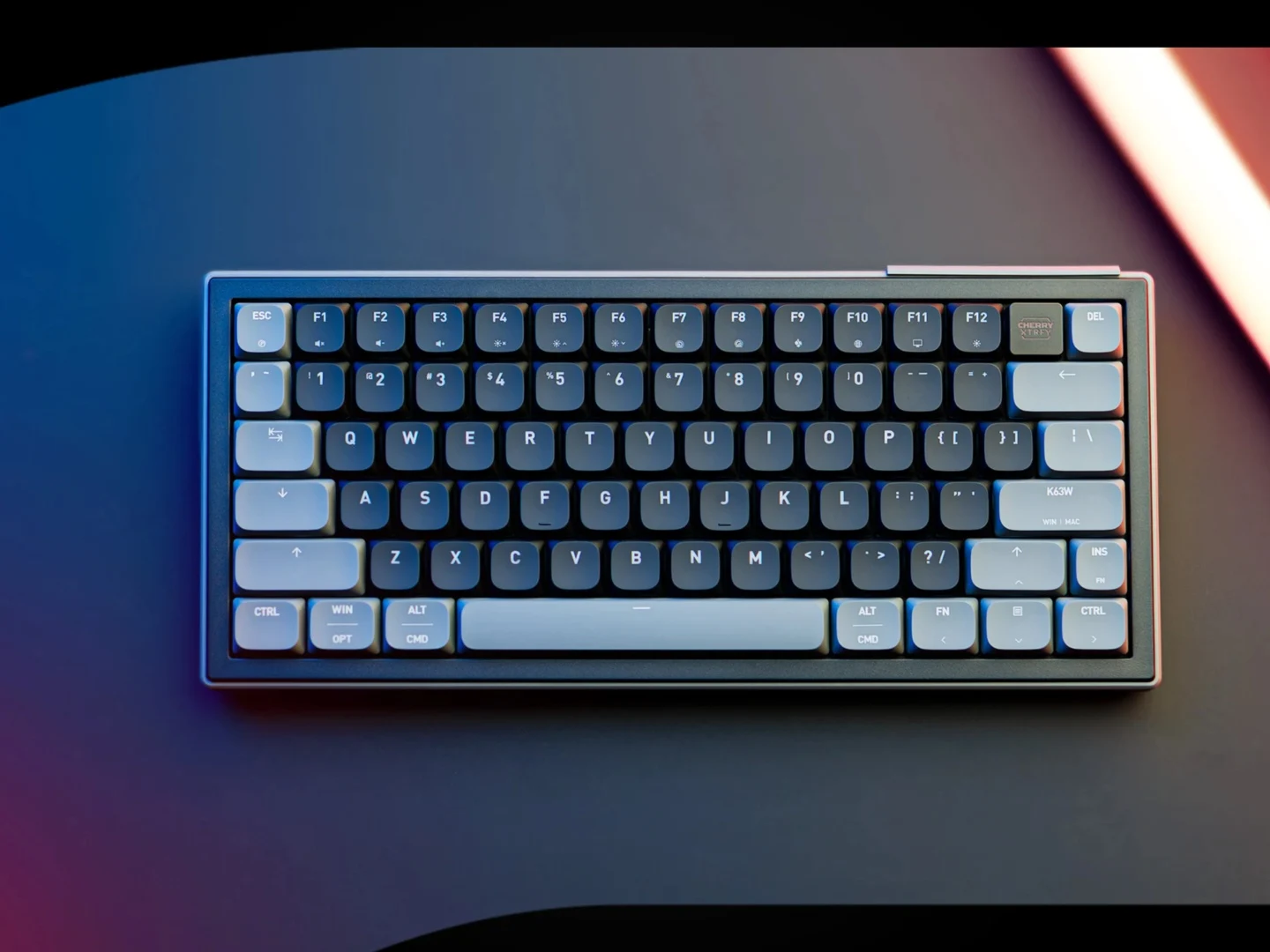
    The latest in the lineup is a gaming keyboard called the Cherry Xtrfy K63W Pro. As the name suggests, it is a compact keyboard with a 70% layout, so no arrow keys or navigation buttons here. There is, however, a dedicated function row. This is a very small form factor keyboard so you might need to get used to it if you need arrow keys.

    What makes the K63W Pro stand out is the low-energy Ultrawide band connection (LE-UWB)

    Rather then a traditional 2.4 GHz connection, the company has used Spark Microsystems for the LE-UWB connectivity for this keyboard. This isn’t the first UWB-based peripheral, however, as there are a few gaming mice out there already that use this mode of connection, like the Elecom VM800 and the Waizowl Cloud Ultra Nebula. So Cherry isnt the first to do UWB.

    Cherry says this allows for a “high-speed connection that stays clear of interference.”

    On top of that, the company is boasting a “true 8,000 Hz polling rate” in wired and wireless modes. Because of the “low-energy” implementation, even at high polling rates, the K63W Pro can last much longer. Cherry says depending on the mode, it can last up to 1,100 hours with its 6,000 mAh battery. Thats a huge battery life improvement over normal keyboards.

    The K63W Pro uses Cherry MX Low Profile 2.0 mechanical switches that are rated for 100 million clicks

    These are linear switches with ABS keycaps sitting on top of them. Of course, there is RGB lighting as well. As of now, pricing for the keyboard has not been revealed, but it will go on sale starting July 2. The switches are rated for a very long life so you wont need to replace them any time soon.

    Sources

  • KeyGo Gen2 Pro: Final Discount on Smart Touchscreen Keyboard

    KeyGo Gen2 Pro: Final Discount on Smart Touchscreen Keyboard

    Key Takeaways

    1. The KeyGo Gen2 Pro crowdfunding campaign is nearing its end, with a discounted price of $329 available for about 24 more hours.
    2. The campaign has raised over $500,000, unlocking multiple stretch goals, including a wireless transmission feature.
    3. Backers will receive a free USB Type-C dongle for wireless image transmission and keyboard connectivity.
    4. New features include a wireless keyboard, built-in touchscreen, and support for various keyboard layouts (German, Mac (US), and UK).
    5. The system is compatible with Windows, Linux, and Android devices, and can serve as a secondary display or work with mini PCs.


    We have previously shared updates on the KeyGo Gen2 Pro, and now the crowdfunding effort is approaching its final push. Backers have a chance to grab the system at a discounted rate for about 24 more hours. The exact price is set at $329. It’s important to remind everyone of the financial risks involved with crowdfunding projects – there’s no guarantee that the product will arrive in the promised quality or at all. Although the maker isn’t entirely new to the market, uncertainties still linger.

    Success of the Campaign

    The crowdfunding initiative has enjoyed remarkable success so far, having raised over 500,000 dollars, which has unlocked multiple significant stretch goals. The most recent stretch goal introduced a wireless transmission feature. Backers will also receive a USB Type-C dongle free of charge, allowing for wireless image transmission as well as keyboard connectivity. Additionally, features like a protective cover and brightness adjustment options have already been made available.

    New Features and Compatibility

    The system now offers a keyboard that can connect wirelessly and includes a built-in touchscreen. Keyboard layouts for German, Mac (US), and UK are now offered. The high resolution is a key selling point. This system can function as a secondary display, for instance, or be used on the move with a mini PC that doesn’t need a large monitor. The manufacturer claims that the system is compatible with devices that run on Windows, Linux, and Android.

    Source:
    Link


  • Asus ProArt Keyboard KD300: New 65% Wireless Keyboard Launch

    Asus ProArt Keyboard KD300: New 65% Wireless Keyboard Launch

    Key Takeaways

    1. Compact and Slim Design: The ProArt Keyboard KD300 measures 26.8 mm in height and features RX Red Low-Profile optical switches for efficient typing.

    2. Versatile Connectivity Options: It supports Bluetooth, 2.4 GHz wireless, and wired connections, with the ability to remember up to five devices.

    3. User-Friendly Features: The keyboard includes a touch panel for adjusting lighting and managing media playback, with customizable options via Asus’ Gear Link software.

    4. Impressive Battery Life: The keyboard can last up to 16 months on a single charge, making it highly convenient for users.

    5. Pricing and Availability: The ProArt Keyboard KD300 is priced at CNY 999 (around $145) in China, with international availability and pricing to be confirmed by Asus.


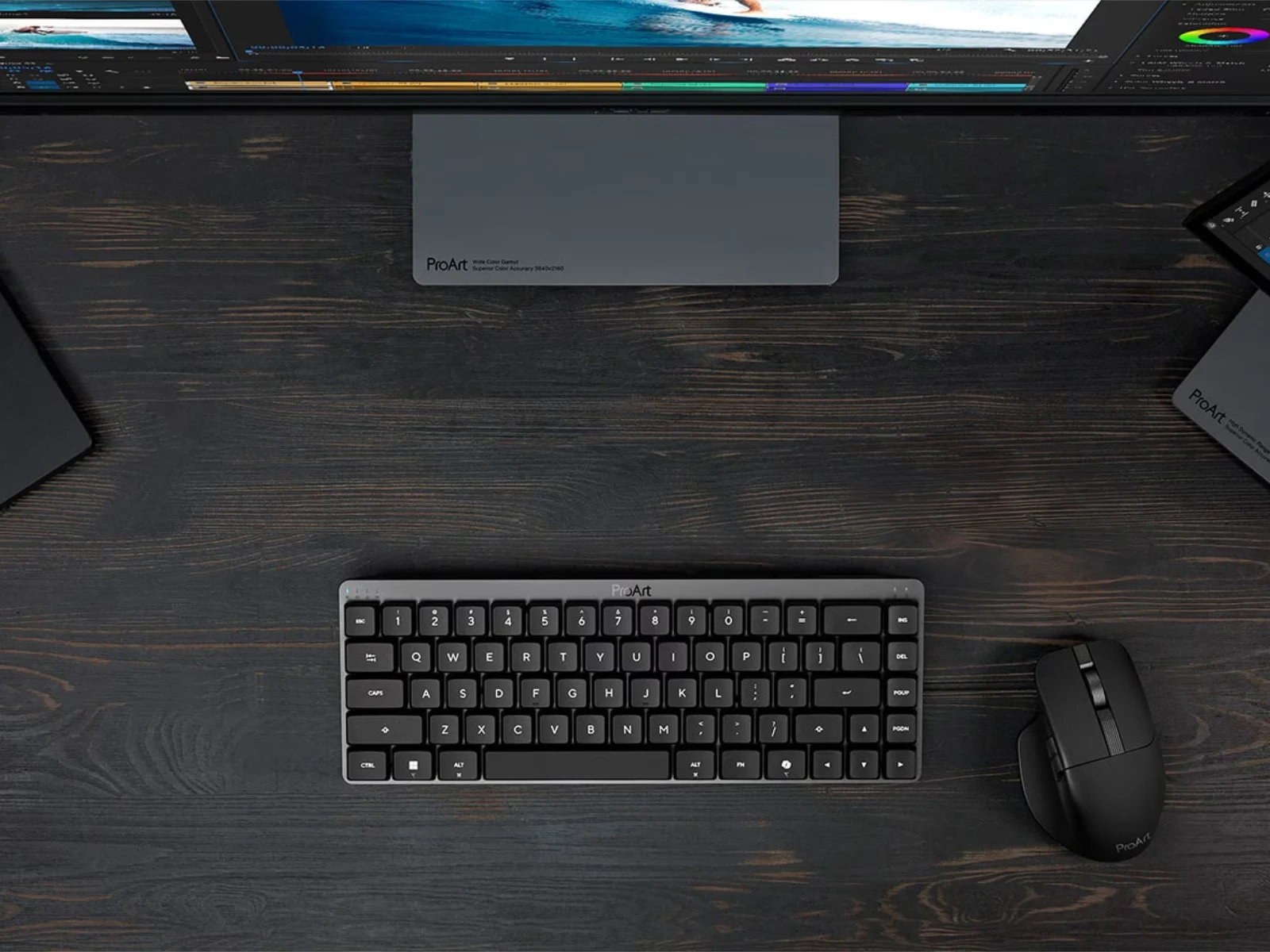
    Asus has just launched the ProArt Keyboard KD300. This keyboard was first introduced in January and is a 65% wireless model that showcases a sophisticated design, much like other items in the ProArt series. Because of this, the ProArt Keyboard KD300 could be a great choice for anyone looking for a fancier option compared to Logitech’s MX Keys Mini, which is currently priced at $99.99 on Amazon.

    Compact and Efficient Design

    To summarize, the ProArt Keyboard KD300 is designed to be compact and slim, measuring only 26.8 mm in height. Asus has included its RX Red Low-Profile optical switches in this wireless keyboard, which provide a 1.0 mm actuation and offer up to 55 g feedback for each key. Additionally, the keyboard supports two different tilt angles and includes silicone dampening to minimize echo and noise while typing.

    Versatile Connectivity Options

    In addition, the ProArt Keyboard KD300 features Bluetooth, 2.4 GHz wireless, and wired connectivity, allowing it to remember up to five devices at once. The back of the keyboard includes a touch panel that lets users adjust lighting and manage media playback. These functionalities can also be tweaked using Asus’ Gear Link software.

    Impressive Battery Life

    Furthermore, Asus claims that the ProArt Keyboard KD300 can last for up to 16 months on a single charge. The price for this keyboard is set at CNY 999 (approximately $145) in China. However, global pricing and availability details are still to be confirmed. Nonetheless, Asus has mentioned that they plan to make it available internationally. For additional information, check out the company’s website.

    Source:
    Link


  • Ergonomic Epomaker Split70 Wireless Keyboard with Wisteria Switches

    Ergonomic Epomaker Split70 Wireless Keyboard with Wisteria Switches

    Key Takeaways

    1. Unique Design: The Split70 features a split design with two distinct halves, allowing for customizable positioning for comfort.

    2. Wireless Connectivity: It operates wirelessly via a 2.4 GHz connection or Bluetooth, with varying polling rates and latency across connection types.

    3. Ergonomic Flexibility: Users can potentially use just one half of the keyboard, which may be beneficial for specific gaming scenarios.

    4. Customizable Features: The keyboard includes Wisteria Linear Switch V2 switches, RGB lighting (with battery life trade-offs), and easily swappable keycaps for personalization.

    5. Pricing: The Split70 is priced at $116, not including shipping, with the RK Royal Kludge RKS70 as an alternative option.


    The Split70 is a fairly typical keyboard when it comes to its technology, especially about its keys. Nevertheless, its design stands out because it isn’t just one solid piece. Instead, it features two distinct halves. This device operates completely wirelessly, sending data through a 2.4 GHz connection with a polling rate that can reach up to 1,000 Hz. If you opt for Bluetooth, the polling rate drops to 125 Hz. Latency varies too, with a wired connection having just 3 milliseconds, 5 milliseconds on the 2.4 GHz mode, and 15 milliseconds when Bluetooth is active.

    Ergonomics and Layout

    You can position the two parts of the keyboard in whatever way you like, which could make for a more comfortable experience. Theoretically, it’s possible to use just one side of the keyboard; for instance, the left side might work just fine for gamers playing shooters. Although there is no dedicated numpad or a six-key keypad, it does come with a rotary encoder.

    Aesthetic and Features

    The keyboard is offered in two colors and is equipped with Wisteria Linear Switch V2 switches that have a travel distance of up to 3.6 millimeters. It supports RGB lighting, but using that feature significantly impacts battery life, reducing it from 260 hours down to merely 11 hours. The keycaps can be easily swapped out, giving users the ability to tailor the keyboard’s feel to their liking.

    The Epomaker Split70 is presently priced at $116, excluding shipping costs. Alternatively, you might consider the RK Royal Kludge RKS70 as another option.

    Source:
    Link


  • Keychron’s Wireless Gaming Keyboard: Num Pad and Hall-Effect Switches

    Keychron’s Wireless Gaming Keyboard: Num Pad and Hall-Effect Switches

    Key Takeaways

    1. Keychron’s Q12 HE is a versatile wireless keyboard designed for both gaming and productivity, featuring a nearly full-size layout with a left-handed num pad.
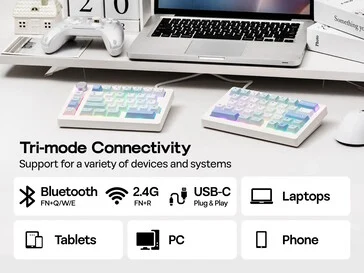
    2. The keyboard includes tri-mode connectivity options: Bluetooth, 2.4 GHz, and wired, enhancing its usability across different devices.
    3. It features Gateron Double-Rail Magnetic Nebula switches and a gasket mount design for a smooth, cushioned typing experience with minimized sound feedback.
    4. The Q12 HE has double-shot PBT keycaps in OSA profile and south-facing per-key RGB backlighting, though it lacks shine-through lighting.
    5. Priced at $249.99, the Q12 HE is currently available only on Keychron’s online store, with plans to be listed on Amazon later.


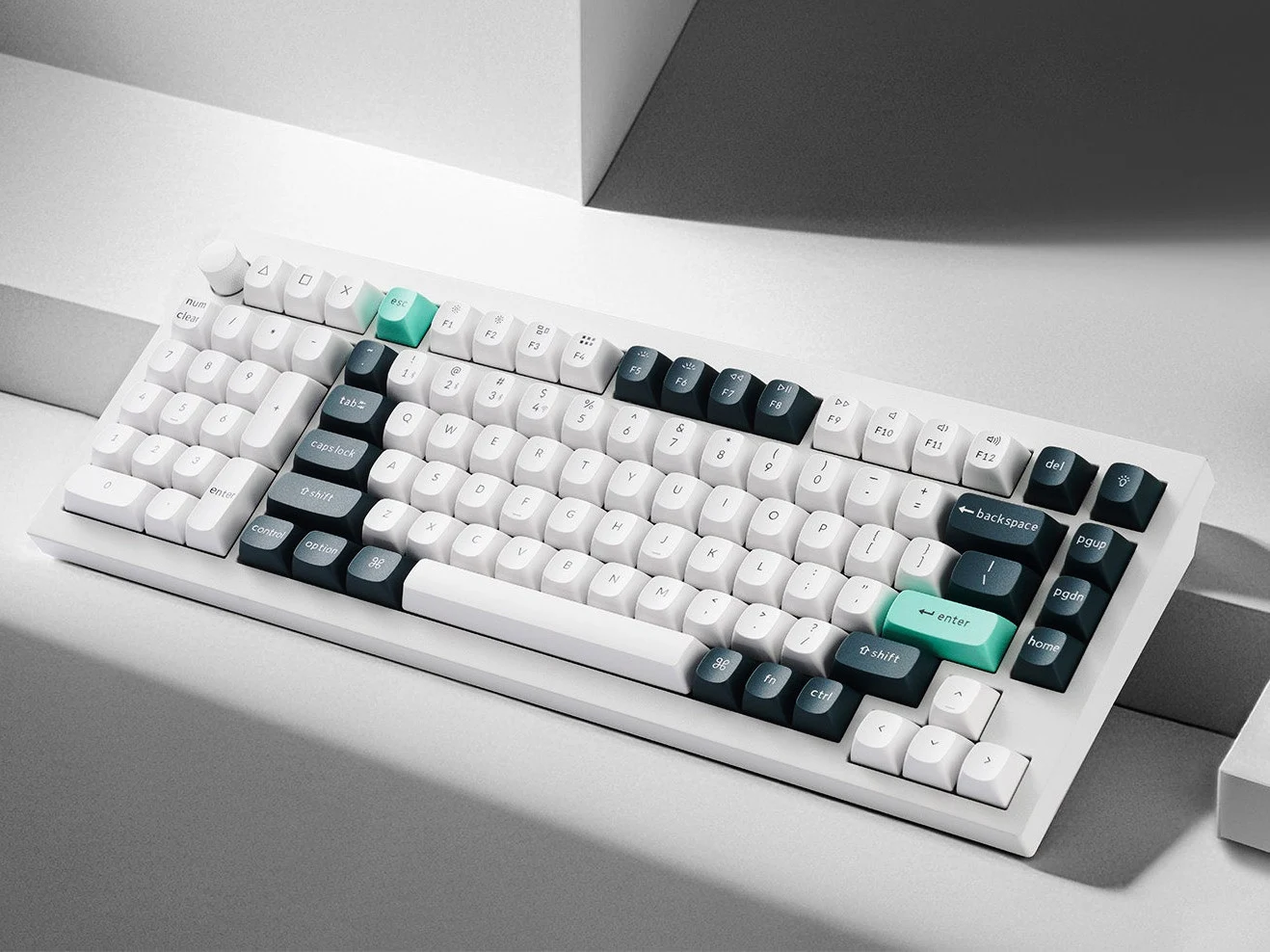
    Keychron keeps impressing with its modular designs, enabling the company to release new keyboards or layouts almost weekly. Their latest product blends gaming and productivity seamlessly, creating a versatile wireless keyboard. The Keychron Q12 HE showcases a nearly full-size layout similar to the Q5 HE (currently priced at $249.99 on Amazon), featuring a left-handed num pad. This layout aims to provide the advantages of a 75% design while ensuring you have all the necessary keys for effective work. Additionally, it offers tri-mode connectivity, supporting both Bluetooth and 2.4 GHz connections along with a wired option.

    Unique Design Features

    One of the standout features of the Q12 HE is its left-handed design and sleek appearance. It comes close to a full 100% layout, replacing the standard navigation cluster above the arrow keys with a compact column that includes page up, page down, and home buttons. There’s also a set of three customizable shortcut buttons located above the num pad, making it just three keys shy of a complete 104-key setup. The Q12 HE also includes a customizable knob in the top left corner, which is set for volume control by default, but it can be reprogrammed for any key or macro.

    Enhanced Typing Experience

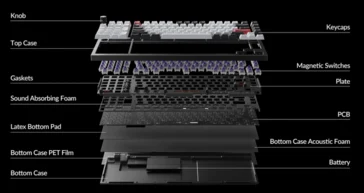
    Similar to the Keychron K4 HE we previously reviewed, the Q12 HE comes equipped with Gateron Double-Rail Magnetic Nebula switches. We found these switches to provide smooth performance and a clean sound profile. The Q12 HE features a gasket mount design that minimizes negative sound feedback while giving a cushioned typing experience, akin to what we noted in our review of the Q13 Max. Constructed from CNC aluminum, the case is finished with an e-coat in Shell White and Carbon Black options. Unlike the Q13 Max, the Q12 HE has an aluminum plate, which is expected to deliver a brighter sound and better input accuracy compared to the PC plate used in the Q13 Max.

    Keycap and Lighting Details

    The Q12 HE features double-shot PBT keycaps in Keychron’s OSA profile, which do not allow shine-through lighting. These keycaps maintain a familiar height found in most gaming keyboards while lending a unique look to the Q12 HE. From our experience, Keychron’s OSA keycaps are comfortable to type on, though they could be a bit thicker. The keyboard includes south-facing per-key RGB backlighting, which complicates finding alternative keycap sets with shine-through legends that function well.

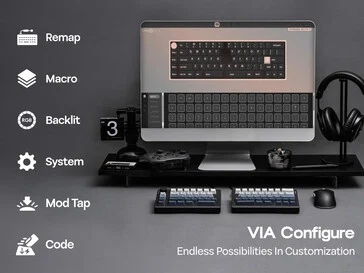
    While the Keychron Q12 HE lacks the 8 kHz polling rate found in some keyboards like the Wooting 80HE, its 1 kHz polling rate is sufficient for most gaming scenarios. The keyboard is equipped with QMK firmware, which allows for complete remapping and extensive personalization through Keychron’s Launcher software. This browser-based application offers features such as adjustable actuation, rapid trigger, SOCD, and DKS support, along with onboard macros that many gaming keyboards skip.

    Availability and Pricing

    Currently, the Keychron Q12 HE is available only through the Keychron online store, though it will be listed on the brand’s Amazon storefront later. The retail price is set at $249.99.

    Source:
    Link


  • Keychron B2 Pro: Lightweight Wireless Keyboard for Apple Users

    Keychron B2 Pro: Lightweight Wireless Keyboard for Apple Users

    Key Takeaways

    1. Unique Switches and Design: The Keychron B2 Pro features scissor switches and a compact 96% layout, tailored for macOS and Windows users, with concave ABS keycaps.

    2. Dimensions and Portability: At only 14.3 mm thick and weighing 585 g, the B2 Pro is designed for portability, incorporating a storage compartment for the 2.4 GHz dongle.

    3. Connectivity Options: The keyboard supports multiple connectivity methods including USB type-C wired, 2.4 GHz dongle, and Bluetooth 5.2, allowing connections to up to three devices.

    4. Customisation and Battery Life: It offers extensive customisation through ZMK firmware and can last up to 300 hours on a single charge with its 800 mAh battery.

    5. Affordable Pricing: The Keychron B2 Pro is priced at $39.99, making it an economical option compared to other models in the Keychron lineup.


    Keychron has built a reputation for its high-quality mechanical keyboards, known for their extensive customisation options, solid build quality, and exceptional typing experience — check out our review of the Keychron Q13 Max for more insight. However, the newest addition to their lineup, the Keychron B2 Pro, deviates from their usual offerings. This newly unveiled keyboard is a sleek wireless low-profile model that seems to cater more to Mac users than PC gamers or typing aficionados.

    Unique Switches and Design

    Unlike the Gateron full-height or low-profile mechanical switches seen in models like the Keychron Q1 Max (currently priced at $195.49 on Amazon) and K15 Max, the B2 Pro opts for scissor switches. It features concave, uniform-height ABS keycaps that do not shine through, designed with a mixed layout suitable for both macOS and Windows. The B2 Pro follows a compact 96% layout, which includes a num pad that has a generous zero key, but the design lacks separation between the num pad and alpha keys, along with no navigation cluster between them.

    Dimensions and Portability

    The B2 Pro’s thickness is impressive, measuring only 14.3 mm at its thickest point, while the front height is a mere 8.4 mm. In contrast, the Lofree Flow Lite reaches 23.5 mm, and the Razer Joro stands at 16.5 mm at its thickest point, as noted in our latest review. Adding to its appealing slim profile, the Keychron B2 Pro incorporates hardware mode and OS selector switches, plus a storage compartment for the 2.4 GHz dongle. The casing, like the keycaps, is made of ABS plastic, similar to the Lofree Flow Lite, which makes the keyboard more portable at 585 g, though it might not feel as premium as the Keychron K15 Max with its aluminum top.

    Connectivity Options

    When it comes to connectivity, the B2 Pro offers a variety of choices, including USB type-C wired, 2.4 GHz through a USB type-A dongle, and Bluetooth 5.2, allowing connection to up to three devices. Both the wired and 2.4 GHz options support a polling rate of 1,000 Hz, making it suitable for gaming.

    Customisation and Battery Life

    One of the standout aspects of the B2 Pro is its integration of the efficient ZMK firmware, which provides extensive customisation capabilities, including on-board macro support and key remapping, along with impressive battery life. Keychron estimates that the B2 Pro can last up to 300 hours on a single charge, thanks to its modest 800 mAh battery. The Keychron Launcher facilitates customisation, and it has consistently been a highlight of Keychron keyboards in our past reviews, as it is a browser-based tool that is user-friendly.

    The Keychron B2 Pro is currently available through Keychron’s online store for just $39.99, and it is expected to show up on platforms like Amazon soon.

    Source:
    Link