
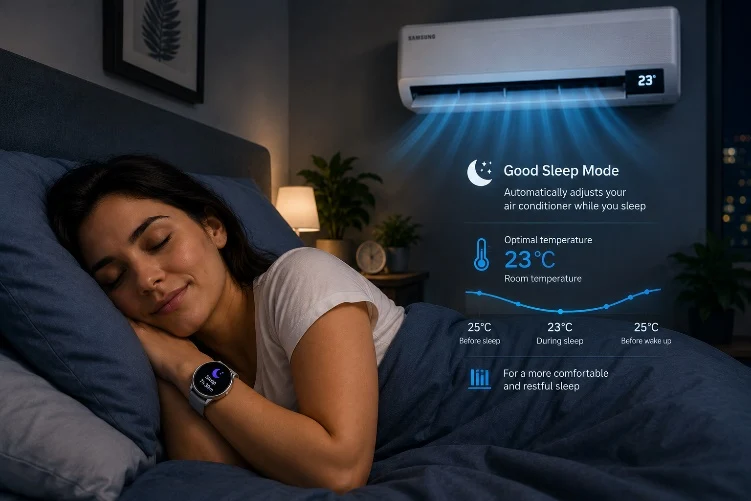
– Samsung’s new “WindFree Wearable Good Sleep” feature adjusts AC temperature based on detected sleep stages.
– It activates automatically when the user falls asleep, switching to WindFree Cooling and Good Sleep modes.
– The feature only works within Samsung’s ecosystem: Galaxy Watch/Ring, SmartThings app, Galaxy phone, and specific 2026 air conditioners.
Keeping the Perfect Sleep Temperature
Maintaining the ideal temperature for sleeping throughout the night is not always easy. To this end, Samsung has just added the new “WindFree Wearable Good Sleep” feature to its Galaxy Watch models and the Galaxy Ring. This detects when the user falls asleep and automatically adjusts the temperature of the air conditioner according to the stage of sleep.
How the System Activates Automatically
The moment the device detects the transition from the awake state to the sleep phase, it sends a signal to the air conditioner to activate “WindFree Cooling” and “Good Sleep” modes. From this point onwards, the unit gradually adjusts the temperature according to the different stages of sleep automatically, thereby avoiding the need for manual control.
Ecosystem Requirements and Compatibility
However, this feature only works within Samsung’s ecosystem. Users need a compatible Galaxy Watch or Galaxy Ring, the SmartThings app, a Galaxy smartphone, and one of the new Bespoke AI WindFree 2026 air conditioners. Interested readers can access more information on Samsung’s official website.
- Compatible Galaxy Watch or Galaxy Ring required
- SmartThings app must be installed on a Galaxy smartphone
- One of the new Bespoke AI WindFree 2026 air conditioners is nessecery
- Visit Samsung’s official website for full details on specifications and pricing