Tag: tablet review

  • Motorola Moto Pad 60 Pro vs Lenovo Idea Tab Pro: A Detailed Comparison

    Motorola Moto Pad 60 Pro vs Lenovo Idea Tab Pro: A Detailed Comparison

    Key Takeaways

    1. The Motorola Moto Pad 60 Pro was purchased via eBay, despite being officially sold only in India and a few other locations.
    2. The import process for the Moto Pad 60 Pro was lengthy and costly, but the review was successfully completed.
    3. Key features such as storage, system-on-chip, display, and cameras are identical between the Moto Pad 60 Pro and Lenovo Idea Tab Pro.
    4. The Moto Pad 60 Pro has no software limitations and comes with Google Services enabled, along with a few preloaded apps.
    5. Although the Moto Pad 60 Pro seems cheaper initially, additional shipping and import taxes can make it more expensive compared to the locally available Idea Tab Pro priced at $389.99.


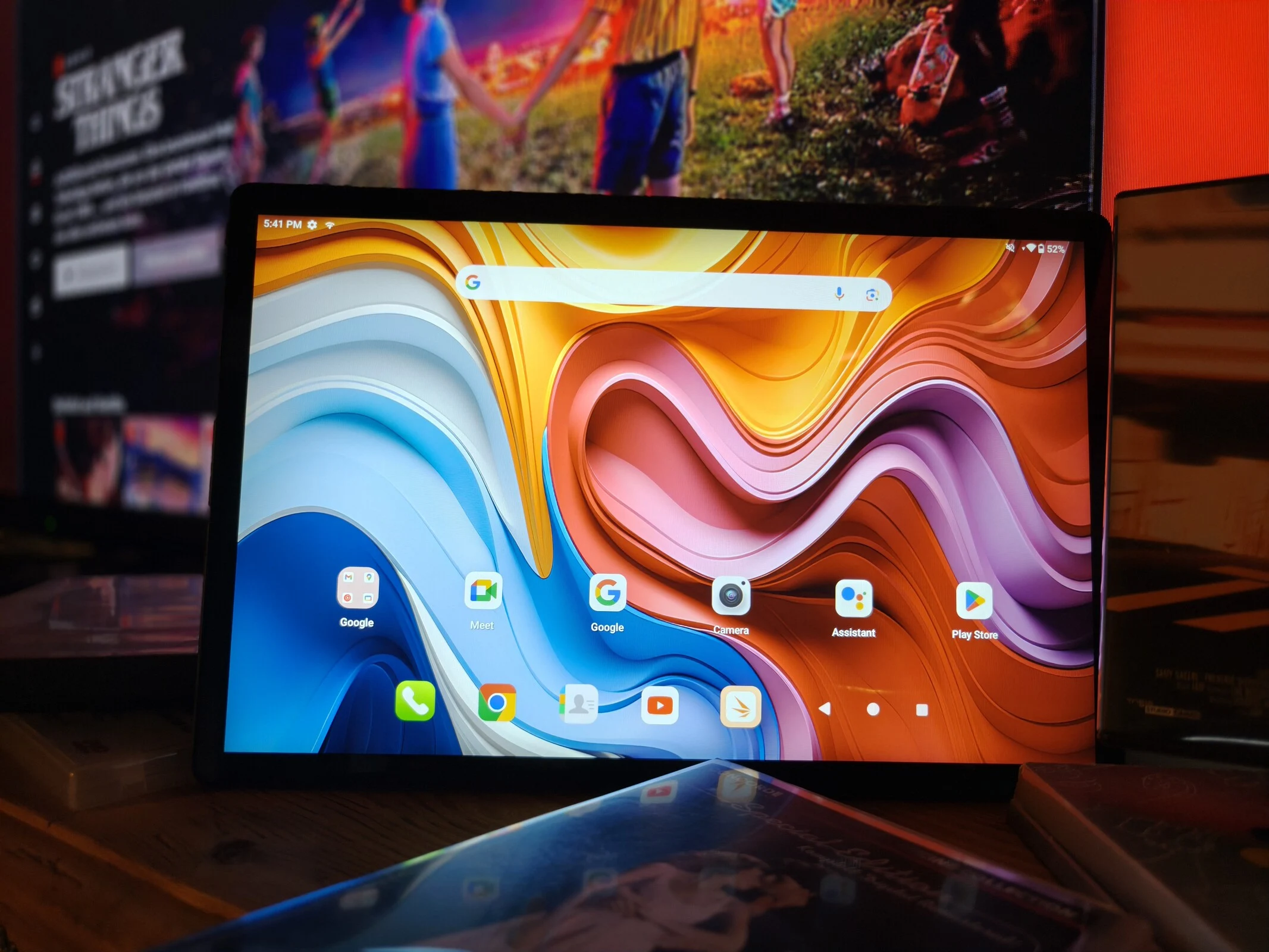
    A few weeks back, we decided to take a chance: we bought a Motorola Moto Pad 60 Pro from Ebay, which is only officially sold in India and a few other places.

    Lengthy Import Journey

    The import process was long and not exactly inexpensive, but in the end, we managed to review the Moto Pad 60 Pro. We found it to be quite similar to a different tablet we assessed earlier this year, the Lenovo Idea Tab Pro, which is made by the same company.

    Key Differences Explored

    After thorough testing, we highlight the main differences between these two tablets here:

    Storage, system-on-chip, display, and cameras: all these features are the same on both devices. There are no limitations on software use with the Motorola Moto Pad 60 Pro, and Google Services is enabled right out of the box. Only a few additional apps are preloaded. Both tablets also include a stylus.

    Pricing Considerations

    An intriguing point is the pricing. At first look, the Moto Pad 60 Pro appears to be less expensive, but since it’s an imported item, shipping and potential import taxes need to be considered. In contrast, the Idea Tab Pro can be bought locally for $389.99.

    Source:
    Link


  • Honor Pad 10 Review: 12.1-Inch Tablet with 6 Years of Updates

    Honor Pad 10 Review: 12.1-Inch Tablet with 6 Years of Updates

    Key Takeaways

    1. Audio and Video Quality: Features 6 premium speakers and supports HD streaming from Netflix with DRM Widevine L1.

    2. Long Battery Life and Software Support: Offers a full day of heavy usage and promises 6 years of OS updates and bi-monthly security patches.

    3. Design and Build: Weighs 525 grams with an aluminum body for durability, but lacks IP certification for outdoor use.

    4. Performance: Equipped with Snapdragon 7 Gen 3 processor, suitable for everyday tasks and gaming, but may struggle with very demanding applications.

    5. Limitations: No fingerprint sensor, NFC, GPS, cellular version, and non-expandable 256 GB storage.


    Those in search of a versatile tablet that excels in web browsing, movie and series watching, or gaming should definitely consider the Honor Pad 10 as a great option.

    Audio and Video Capabilities

    The Honor Pad 10 features 6 premium speakers and supports DRM Widevine L1, enabling it to stream copy-protected content from Netflix in HD quality.

    Battery Life and Software Support

    With impressive battery longevity, users can expect a full day of heavy usage. Additionally, the tablet promises 6 years of operating system updates along with Android security patches, which are anticipated to be delivered every two months.

    Design and Build Quality

    At a weight of 525 grams, the Pad 10 is somewhat lighter than similar devices on the market. This is partly due to its aluminum body, which not only gives it a premium appearance but also enhances its durability.

    However, the Pad 10 lacks IP certification, making it more suited for indoor environments. The brightness of its 120 Hz IPS display, boasting a resolution of 2560 x 1600, is quite adequate. Our tests showed the PWM-free display averages 499 cd/m², nearly matching the manufacturer’s claim of 500 nits.

    Performance for Everyday Use

    Powered by the Snapdragon 7 Gen 3 processor, the Honor Pad 10 manages daily tasks with ease, though it may struggle with very resource-intensive applications. It also performs well for gaming, capable of running demanding titles like Genshin Impact at 40 FPS on the highest settings, though it can’t quite compete with dedicated gaming tablets.

    Limitations to Consider

    While the Pad 10 has many strengths, it does come with some drawbacks. Notably, it does not include a fingerprint sensor, NFC, or a GPS module. Additionally, Honor does not provide a cellular version of this WiFi 6 tablet, and the 256 GB of storage cannot be expanded.

    Source:
    Link


  • Alldocube iPlay 70 Mini Ultra: Android 15 Features Explained

    Alldocube iPlay 70 Mini Ultra: Android 15 Features Explained

    Key Takeaways

    1. The Alldocube iPlay 70 mini Ultra features an 8.8-inch LTPS screen, Snapdragon 7+ Gen 3 chip, 12 GB RAM, and 256 GB expandable storage.
    2. The tablet has a solid build quality with a lightweight aluminum body, but may show noticeable waves under pressure.
    3. Camera performance is basic with a Full HD front camera and a main camera suitable for well-lit conditions, though colors may appear over-saturated.
    4. It runs on Google Android 14 and Alldocube OS 3.0L, with plans for five years of security updates, but unclear major version update commitments.
    5. The tablet is available for purchase at approximately $350 on Amazon.


    The Alldocube iPlay 70 mini Ultra is a small tablet featuring an 8.8-inch LTPS screen, powered by a Snapdragon 7+ Gen 3 chip. It comes with 12 GB of RAM and 256 GB of storage, which can be expanded with a microSD card. Its dark grey aluminum body weighs in at 335 g and has an impressive display-to-surface ratio of 83%. The build quality seems good, yet noticeable waves may occur if significant pressure is applied. Additionally, it has USB 3.2 with image output and a strong, albeit somewhat inaccurate, vibration motor. However, it lacks biometric unlocking options.

    Camera Performance

    The camera performance is quite basic: the front camera supports Full HD at 30 FPS for video calls, while the main camera is suitable for documentation in well-lit conditions, with the capability of recording Ultra HD videos. The display provides sharp and high-contrast visuals, but the colors are cool and over-saturated. The brightness is adequate for indoor use and shaded spots, yet the minimum brightness level is somewhat elevated.

    Software and Updates

    Running on Google Android 14 alongside Alldocube OS 3.0L, the manufacturer hasn’t committed to specific update schedules. However, according to the energy label, they are planning for five years of support. Security updates were current as of the test date (June 5, 2025). There hasn’t been any clear communication about update support. After inquiry, Alldocube stated they aim to align with EU regulations, but they are unsure if major version updates will be included in the directive. Therefore, customers can look forward to a decent amount of security patches in the EU, though it’s uncertain if Android 15 or later versions will find their way to the tablet. For markets outside the EU, the information remains unclear: “Similarly, outside the EU, we continue to provide bug fixes and software updates wherever possible.” Thus, shorter software support is to be expected in these regions.


  • Huawei MatePad Pro 12.2 (2025) Review: Great Tablet with Minor Flaws

    Huawei MatePad Pro 12.2 (2025) Review: Great Tablet with Minor Flaws

    Key Takeaways

    1. The Huawei MatePad Pro 12.2 (2025) features enhanced camera quality and performance but retains the price of €999, including a keyboard cover.
    2. The tablet is sleek at 5.5mm thick and weighs 508g, with excellent build quality and modern connectivity options like USB 3.2 and Wi-Fi 7.
    3. The 12.2-inch tandem OLED display offers impressive brightness over 2,200 cd/m² but could improve in low brightness settings.
    4. The device includes a 50 MP primary camera, decent front camera for video calls, and records videos in Ultra HD at 30 fps.
    5. While lacking Google services, Huawei promises six years of updates, and the tablet provides over 12 hours of battery life, making it suitable for work and leisure.


    The Huawei MatePad Pro 12.2 (2025) has undergone some technical enhancements, especially in camera quality and performance, yet it retains its price of €999, which comes with a keyboard cover. The device remains sleek at just 5.5mm thick and weighs a light 508g. The build quality is excellent, featuring modern connections like USB 3.2, Wi-Fi 7, and NearLink, although it does not support 6 GHz WLAN. The quad speaker delivers impressive sound quality. The Glide Keyboard, which is included, offers a comfortable typing experience and has a compartment for the stylus, while the touchpad is quite responsive. It also has security features, including a fingerprint sensor and facial recognition.

    Display Quality

    The 12.2-inch tandem OLED screen stands out with a brightness exceeding 2,200 cd/m², complete with an anti-reflective PaperMatte surface and eye-friendly PWM dimming, although the lowest brightness could be improved. The camera arrangement has seen a significant upgrade with the addition of a 50 MP primary camera, while the ultra-wide-angle and digital zoom capabilities fall short of high quality. The front camera works well for video calls, but it does show some color distortion. Users can record videos in Ultra HD at 30 fps.

    Software and Usability

    While the software still lacks Google services, Huawei has now guaranteed six years of updates. With the optional stylus that has high pressure sensitivity, along with the keyboard cover and its bright display, this tablet is well-suited for both work and leisure. The battery life exceeds 12 hours, and overall performance is decent, although the graphics don’t quite match up to other tablets in the same class.

    Source:
    Link

  • Best Affordable Tablet You Didn’t Know About

    Best Affordable Tablet You Didn’t Know About

    Key Takeaways

    1. The Oppo Pad SE offers impressive features for a tablet under $350, including a durable metal body, quick SoC, and neat software.
    2. It has a substantial 9,340 mAh battery, providing longer usage times than many competitors, along with decent sound quality from its speakers and an 11-inch display with satisfactory brightness.
    3. Despite its strong features, the Oppo Pad SE remains largely unknown to many consumers due to limited marketing efforts and competition from larger brands.
    4. The tablet’s availability is restricted, with limited distribution in international markets and not being sold on major platforms like Aliexpress or Temu.
    5. Oppo has not yet entered the North American market, which poses additional challenges for its expansion and consumer awareness.


    We already knew Oppo is capable of creating impressive tablets. After all, the Oppo Pad 4 Pro left a strong impression during our testing phase.

    Impressive Features

    However, the recently evaluated Oppo Pad SE proves that the Chinese brand can also deliver great value in the under 350 USD price bracket. This tablet has been crafted well, featuring a durable metal body in a stylish grey-blue, solid construction, a fairly quick SoC, and neat software, all contributing to a positive overall impression.

    Most notably, the substantial 9,340 mAh battery caught our attention, providing significantly longer usage times compared to many rivals. It also boasts speakers that deliver decent sound quality and an 11-inch display that operates without PWM and offers satisfactory brightness levels.

    Lack of Awareness

    One might think: Fantastic, Oppo has something appealing here that should sell well, right? Unfortunately, this affordable tablet with its impressive features remains largely unknown to many consumers. The Oppo Pad SE is, therefore, flying under the radar.

    Reasons for this vary by region: In certain countries, Oppo’s marketing efforts struggle to gain traction despite sponsorships like the Champions League and quality offerings. Competing with advertising budgets of giants like Samsung is certainly a challenge. Moreover, the neglect of its own websites in Germany and Austria for years hasn’t helped either. Although past patent disputes have been resolved, their effects linger.

    Limited Availability

    Oppo has also yet to step into the North American market, which might be difficult amid the current political climate in the USA.

    Furthermore, the Oppo Pad SE isn’t widely available in all international markets and its distribution is quite limited. For instance, in Germany, the tablet is currently sold by only one retailer or has to be ordered from neighboring countries. It’s even not available on Chinese platforms like Aliexpress or Temu at this time.

    This is unfortunate, as our testing of the Oppo Pad SE was quite favorable. You can find detailed reasons for our evaluation, along with any shortcomings, measurement data, and sample images from the tablet’s camera in our comprehensive review of the Oppo Pad SE.

  • Teclast T70 Review: Is the 14-Inch Display Worth It?

    Teclast T70 Review: Is the 14-Inch Display Worth It?

    Key Takeaways

    1. The Teclast T70 offers appealing features like a large screen, LTE connectivity, and a metallic body for under $300, making it budget-friendly compared to pricier tablets.
    2. Positive aspects include a durable metal body, built-in cellular capability, and an IPS screen that avoids PWM flickering.
    3. Performance concerns arise from sluggish Wi-Fi, limited software updates, and unimpressive camera quality for daily use.
    4. The tablet’s weight of nearly one kilogram is heavier than other tablets of similar size, which may be a drawback for some users.
    5. Potential buyers are encouraged to read a comprehensive review for a detailed assessment of the Teclast T70’s advantages and disadvantages.


    On one side, consumers seek budget-friendly gadgets. But as prices decrease, there’s a greater chance of getting a poorly made item that doesn’t meet its claims. This is where our evaluations come into play, with our latest subject being the Teclast T70.

    Impressive Features

    At first sight, the specifications of the 14-inch tablet seem quite appealing: a large screen, LTE mobile connectivity, a metallic body, and satellite tracking all for less than $300. You would typically think of tablets like the Samsung Galaxy Tab S10 Ultra or the Oppo Pad 4 Pro, which cost around $600—much pricier options. Interestingly, Apple doesn’t even have an iPad that matches this size.

    Positive Aspects

    Our assessment of the Teclast T70 does show some commendable features, like the durable metal body and built-in cellular capability, which often incurs an additional charge from many other brands. Teclast has also equipped it with an IPS screen, which completely avoids PWM flickering.

    Performance Concerns

    However, do all these traits function effectively at such a low price? The somewhat sluggish Wi-Fi and limited software updates raise some concerns right away. Additionally, the cameras aren’t particularly impressive for daily usage, although this isn’t shocking given the price point: decent cameras on tablets aren’t prioritized like they are on smartphones.

    Another drawback is its weight of nearly one kilogram; other tablets of this size tend to be lighter. So who exactly is the Teclast T70 meant for?

    For potential buyers looking for more information, we recommend checking out our comprehensive review of the Teclast T70. It covers everything about the tablet, from its advantages to its disadvantages.

    Source:
    Link

  • Apple iPad Air 13 (2025) Review: Versatile Tablet for Everyone

    Apple iPad Air 13 (2025) Review: Versatile Tablet for Everyone

    Key Takeaways

    1. The iPad Air 13 (2025) offers many features similar to the iPad Pro but at a lower price point, making it a strong alternative.
    2. Equipped with the Apple M3 chip, the iPad Air 13 (2025) can handle most software and games, but gaming is limited to 60 fps due to a 60 Hz frame rate.
    3. A new keyboard dock with function keys and compatibility with the Apple Pencil enhances the iPad Air 13’s usability as a laptop substitute.
    4. Apple consistently provides long update support for its tablets, allowing users to expect updates for many years, even for older models.
    5. The iPad Air 13 (2025) is made with recycled materials, reflecting Apple’s sustainability efforts, but lacks self-repair options like other Apple devices.


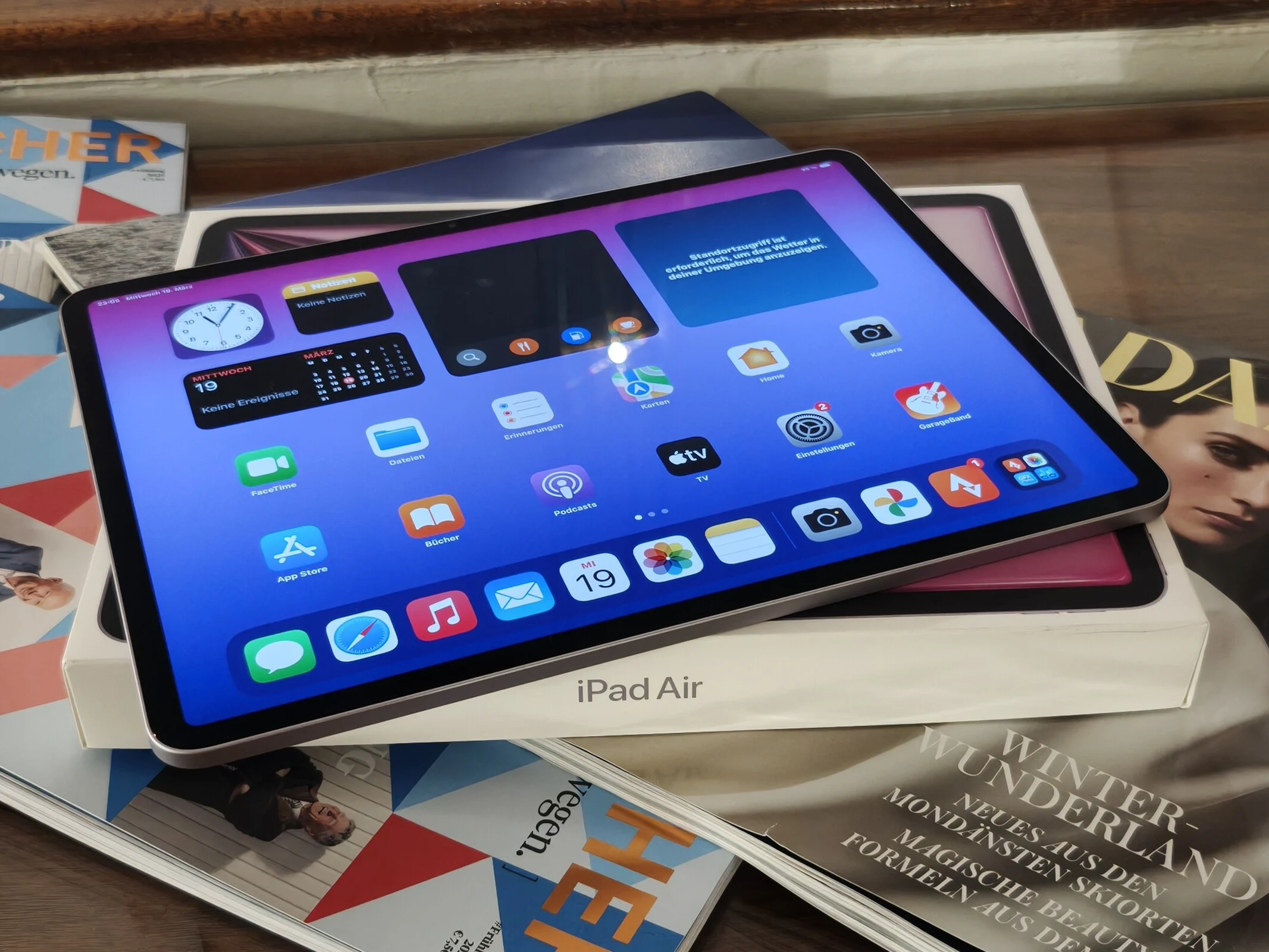
    Of course, the Apple iPad Pro stands out as an excellent tablet for daily tasks or leisure activities. However, the iPad Air 13 (2025), which is several hundred dollars less, can match the pricey iPad Pros in numerous aspects. The robust Apple M3 chip is adequate for most software and a variety of games. Nevertheless, gaming is restricted to a maximum of 60 fps due to the frame rate limit of 60 Hz.

    Enhanced Features

    Using the Apple Pencil or Pencil Pro is an option, and there’s a newly designed keyboard dock with function keys for the iPad Air 13 (2025) at a more budget-friendly price. This upgrade makes the tablet even more appealing as a versatile laptop substitute. With a brightness of about 600 cd/m², the display is more than bright enough for indoor settings, although it may fall short for outdoor use despite its anti-reflective coating. The absence of PWM flickering, even at low brightness levels, is thanks to the IPS panel technology.

    Update Longevity

    Another significant aspect is the relatively long period for updates, which Apple hasn’t officially promised but has consistently followed for all its products. Even tablets that are 6 years old have received iPadOS 18, the same as what runs on the latest iPad Air 13 (2025). Potential purchasers can confidently expect that the tablet will continue to receive updates for a similar duration. Yet, it would be beneficial if Apple were fully open about this.

    Sustainability Considerations

    Apple’s commitment to sustainability is also noteworthy, as many recycled materials are incorporated into the tablet’s construction. However, self-repair options are not currently available for iPads through the official portal, unlike other Apple devices.

    We were pleasantly surprised by the tablet as a more affordable option compared to the iPad Pro, but there are also appealing and less expensive Android tablets on the market. For more comprehensive information about the Apple iPad Air 13 (2025) and its alternatives, be sure to check out our complete review of the Apple iPad Air 13 (2025).

    Source:
    Link