
Tag: RPCS3 system requirements

  • RPCS3 Official System Requirements and Why PS3 Emulation Needs a Powerful CPU

    RPCS3 Official System Requirements and Why PS3 Emulation Needs a Powerful CPU

    Key Takeaway

    1. RPCS3 requires significantly stronger hardware than the PS3 itself, primarily due to the complexity of emulating the console’s Cell CPU.
    2. CPU performance, particularly a high-end CPU like the Ryzen 7 9800X3D, is the most crucial factor for optimal PS3 emulation.
    3. GPU performance is less important; even last-generation GPUs like the RX 7800 XT or RTX 4070 are sufficient.
    4. Emulation relies more on CPU, OS, and RAM than on GPU, emphasizing the need to invest in these components when building a compatible PC.
    5. Alternatives to emulation include purchasing PS3 games digitally or buying pre-owned PS3 consoles.

    Official System Requirements for RPCS3

    The creators of RPCS3, a well-known PS3 emulator, have shared the official system specs needed to run the software properly. They highly recommend a powerful setup:

    Minimum Hardware Recommendations

    As shown in the detailed requirements, running PS3 games at or above typical PS3 quality needs hardware that surpasses the original console’s specifications. Several users expressed confusion on why such high-end hardware like a Ryzen 5 5600 and 16 GB RAM are necessary. One person even described these CPU needs as ‘heavy,’ especially noting the GPU requirements seem high given the CPU emphasis.

    Why Does Emulation Need So Much Power?

    The main problem that makes PS3 emulation tough is the complexity of the console’s Cell CPU, which contains two different instruction sets (PPC + SIMD), inside 8 cores. Emulation isn’t just about graphics, it’s heavily relying on the CPU, OS, and RAM, rather than just the GPU.

    Focus on CPU and RAM

    In simple terms, the CPU performance is most critical for RPCS3. The operating system and RAM follow behind, with GPU performance ranking last. This explains why the system specs include high-end CPUs like the Ryzen 7 9800X3D, alongside last-gen GPUs such as RX 7800 XT and RTX 4070. So, gamers should prioritize CPU and RAM when building a PC for PS3 emulation.

    Playing PS3 Games Without Emulation

    For those who prefer not to emulate, purchasing games directly from the PS Store is still an option. Additionally, refurbished PS3 consoles are still game-worthy, readily available on platforms like Amazon or eBay. So, if you wanna play PS3 titles, you don’t necessarily need a powerful PC or emulation setup.
    Sources
  • RPCS3 System Requirements: Official Specifications for 2023

    RPCS3 System Requirements: Official Specifications for 2023

    Key Takeaway

    1. Most modern PCs and handheld devices like the Steam Deck meet the system requirements for PS3 emulation via RPCS3.
    2. RPCS3 supports resolutions below the native PS3 720p, allowing performance tweaks, though at the expense of visual quality.
    3. The emulator’s progress highlights the potential for access to exclusive or hard-to-port PS3 games, with some titles eventually receiving official remasters or ports.
    4. Supporting official re-releases of PS3 games is recommended to respect developers, even as emulation technology advances.
    5. RPCS3 continues to improve rapidly, making PS3 game preservation and access increasingly feasible on current hardware.

    Checking If Your System Handles PS3 Emulation

    If you have been observing the recent updates or video clips about RPCS3, the PS3 emulator, you probably wondering if your PC is up to the task. According to the latest system requirements from the developers, most current machines are more than capable of running PS3 emulate. Even portable devices like Steam Deck already proven able to run many PS3 games decently, so your decent modern desktop should do just fine.

    System Requirements Simplified

    The minimum specs needed are quite modest — an Intel Core 2 Duo processor plus an Nvidia GT 420 graphics card are enough to get started. However, if you want to play a broad range of games smoothly, upgrading the hardware is advisable. RPCS3 also lets you lessen the resolution below PS3’s 720p native, which can boost performance, but frankly, this could dampen the gaming experience a bit, so fasten your seatbelt for a below-ideal graphics experience.

    RPCS3’s Evolution and Game Exclusivity

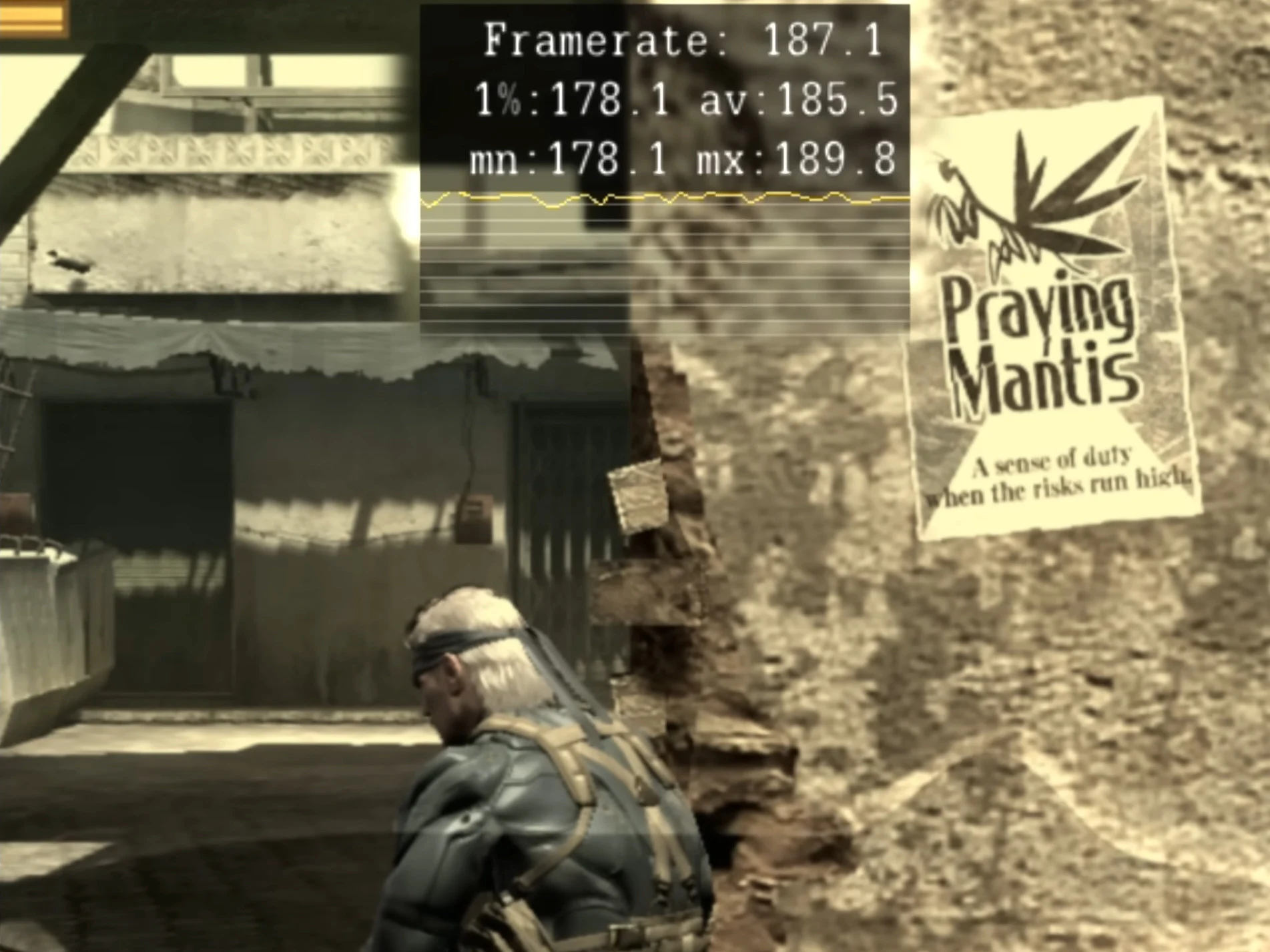
    The journey of RPCS3 highlights how far emulation has advanced, especially considering the unique titles only available on PS3. It’s encouraging to see potential for more games to be accessible beyond the original hardware. Take Metal Gear Solid 4, for instance, which is scheduled for a new port on current platforms later this year, part of the Metal Gear Solid Master Collection Vol. 2, available on Switch, PS5, Xbox Series X/S, and PC. Sadly, some other notable games, like the first two inFAMOUS entries, are still only accessible on PS3 or via RPCS3, leaving some classics a bit more out of reach for now.

    Game Preservation and Ethical Considerations

    As a passionate supporter of game preservation, it’s critical to remember that these titles were made by talented developers who, like all workers, need to make a living. Buying the official versions is the right way, especially if they get re-released officially. Nonetheless, you can’t deny the impressive growth of RPCS3 as an emulator, particularly its compatibility with a variety of modern PCs—including handheld gaming devices that resemble PS Vita more than traditional gaming laptops. It’s an exciting era for game preservation and emulation enthusiasts alike.

    Sources