Tag: Philips Hue

  • Philips Hue App Update Introduces New Smart Automations Feature

    Philips Hue App Update Introduces New Smart Automations Feature

    Key Takeaways

    1. Philips Hue app version 5.55 is now available for iOS and Android users.
    2. The Hue AI Assistant now allows users to create automations by simply describing their requests.
    3. The Hue AI Assistant is only available in English and not in all countries.
    4. Users can now use shortcuts for Hue Secure alerts from their lock screens for quick adjustments.
    5. The categorization of Secure timeline events has been improved for easier review of recorded footage.


    Philips Hue has rolled out a new update for its mobile application. The latest version, 5.55, is now accessible for both iOS and Android users, following closely on the heels of the previous version, 5.54. The earlier update introduced features like voice command support for the Hue AI Assistant and an additional option for the Motion Aware feature.

    Enhancements to Hue AI Assistant

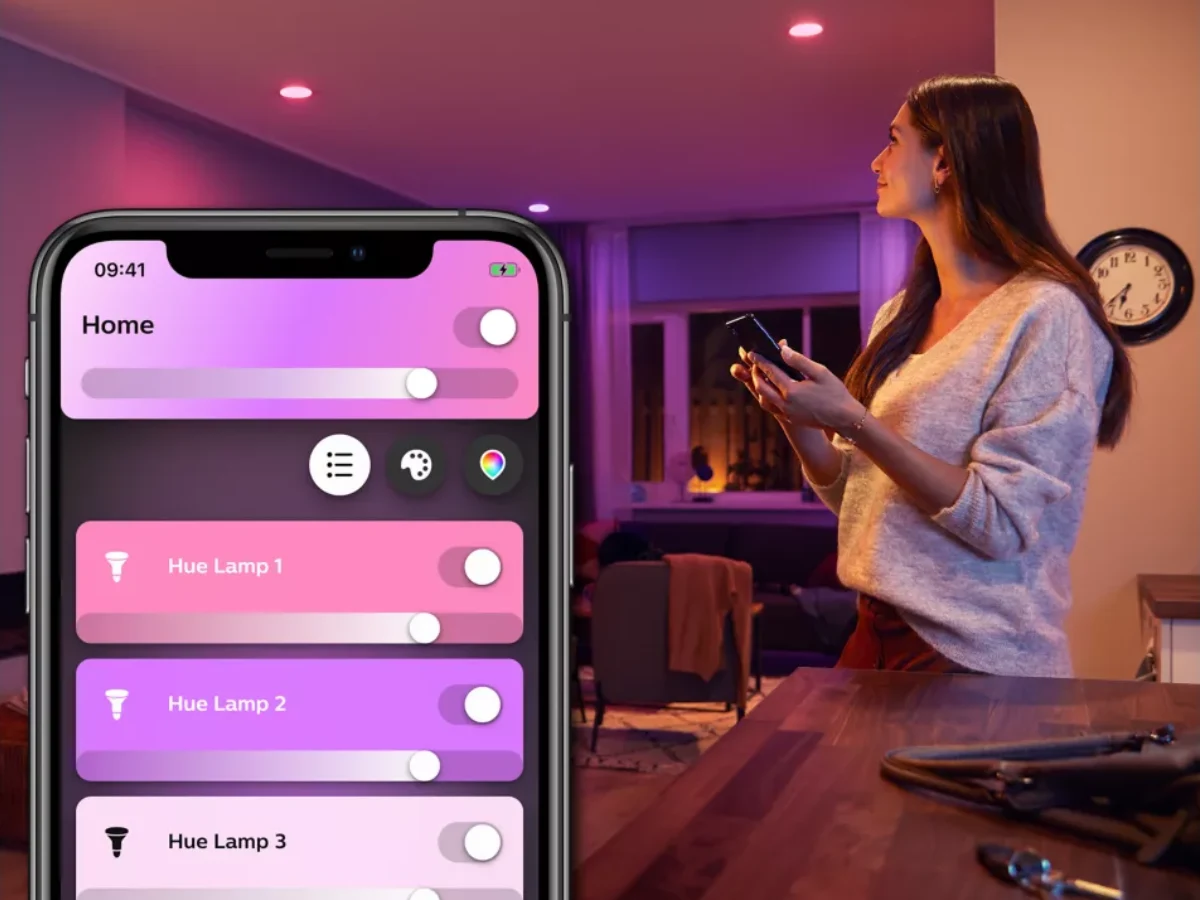
    In this new update, Philips Hue has made further advancements to the Hue AI Assistant. Users can now create automations simply by describing what they want the bot to do. The assistant will then create the corresponding automation, which can be tweaked by the user as needed. However, it’s important to mention that the Hue AI Assistant is only functional when the app’s language is set to English and is not available in every country just yet.

    Changes Related to Hue Secure

    There are also two modifications related to Hue Secure. Firstly, users now have the ability to use shortcuts for Hue Secure alerts, allowing them to make quick adjustments right from their lock screens. For instance, they can mark an event as safe or turn off a light directly from the notification associated with their smart camera or sensor. The second enhancement pertains to the categorization of Secure timeline events, which the company believes will make it simpler for users to review their recorded footage history.

    You can get the Philips Hue app version 5.55 from both the Apple App Store and the Google Play Store.

    Source:
    Link


  • Philips Hue Launches Omniglow Micro LED Smart Strip Light Globally

    Philips Hue Launches Omniglow Micro LED Smart Strip Light Globally

    Key Takeaways

    1. The Philips Hue Omniglow Strip Light is now available in Europe in lengths of 3 m (10 ft), 5 m (16 ft), and 10 m (33 ft).
    2. Brightness varies by length: 3 m version offers up to 2,700 lumens, while 5 m and 10 m versions reach 4,500 lumens.
    3. The strip features chip-scale-package technology and micro LEDs for a seamless lighting experience, with a lifespan of about 25,000 hours.
    4. It can be controlled via the Philips Hue app and is compatible with Bluetooth and Zigbee for smart home integration.
    5. Pricing in Europe includes €139.99 for the 3 m version, €199.99 for the 5 m version, and €349.99 for the 10 m version, while the UK price for the 3 m version is expected to be £119.99.


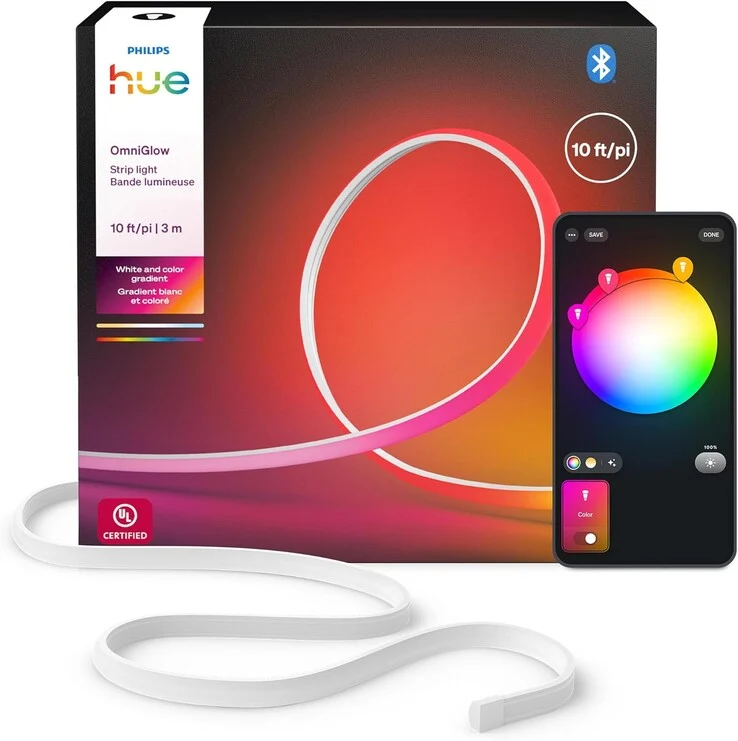
    The Philips Hue Omniglow Strip Light has officially launched in Europe. It was first presented at IFA 2025, and its release in the US came sooner than anticipated. Now, shoppers in several European nations can buy this smart lightstrip in 3 m (10 ft), 5 m (16 ft), and 10 m (33 ft) lengths.

    Specifications and Brightness

    The 3 m (10 ft) variant of the Philips Hue Omniglow Strip Light is claimed to deliver brightness of up to 2,700 lumens at a color temperature of 6,500K. Meanwhile, the longer versions, 5 m (16 ft) and 10 m (33 ft), boast a peak brightness of 4,500 lumens. All models utilize CSP (chip-scale-package) tech along with micro LEDs and a diffuser, which helps to make the individual light sources invisible for a more seamless lighting experience. Users can expect the smart light to function for about 25,000 hours, and it comes with a two-year warranty.

    Smart Features

    Controlling the Omniglow Strip Light is easy through the Philips Hue app, giving users access to a broad selection of white and colored lighting options. It is compatible with Bluetooth and Zigbee, allowing for connection with a variety of other smart home devices via the Hue Bridge or Hue Bridge Pro. The strip itself features a white silicone backing, measuring approximately 17 mm (~0.67 inches) in width and 8.7 mm (~0.34 inches) in height.

    Pricing Information

    In nations such as the Netherlands, France, and Spain, the Philips Hue Omniglow Strip Light in the 3 m (10 ft) version is available for €139.99. The 5 m (16 ft) option is priced at €199.99, while the 10 m (33 ft) model costs €349.99 in these regions. In the UK, the 3 m (10 ft) version is expected to retail for £119.99, but its exact release date remains uncertain. As a side note, the 3 m (10 ft) light strip can already be found on Amazon in the US for $139.99.

    Source:
    Link


  • Philips Hue Outdoor String Lights Launch in Two New Lengths

    Philips Hue Outdoor String Lights Launch in Two New Lengths

    Key Takeaways

    1. The Philips Hue Festavia globe outdoor string lights now come in two longer options: 14m/45ft with 16 bulbs and 28m/91ft with 32 bulbs, in addition to the original 7m/22ft version.
    2. Pricing in the U.S. is $219.99 for the 14m version and $362.99 for the 28m version, while the 7m version is discounted to $140.79 on Amazon.
    3. The lights feature replaceable bulbs lasting about 25,000 hours, with each bulb producing up to 50 lumens, totaling 1,600 lumens for the longest set.
    4. They offer full-spectrum smart lighting with adjustable color temperatures from 1,000 to 20,000 K and are compatible with the Philips Hue app for customizable lighting effects.
    5. The string lights include black wires, fixtures, and a low-voltage power supply, with the 28m version expected to retail for €289.99 in Europe, though availability is still pending.


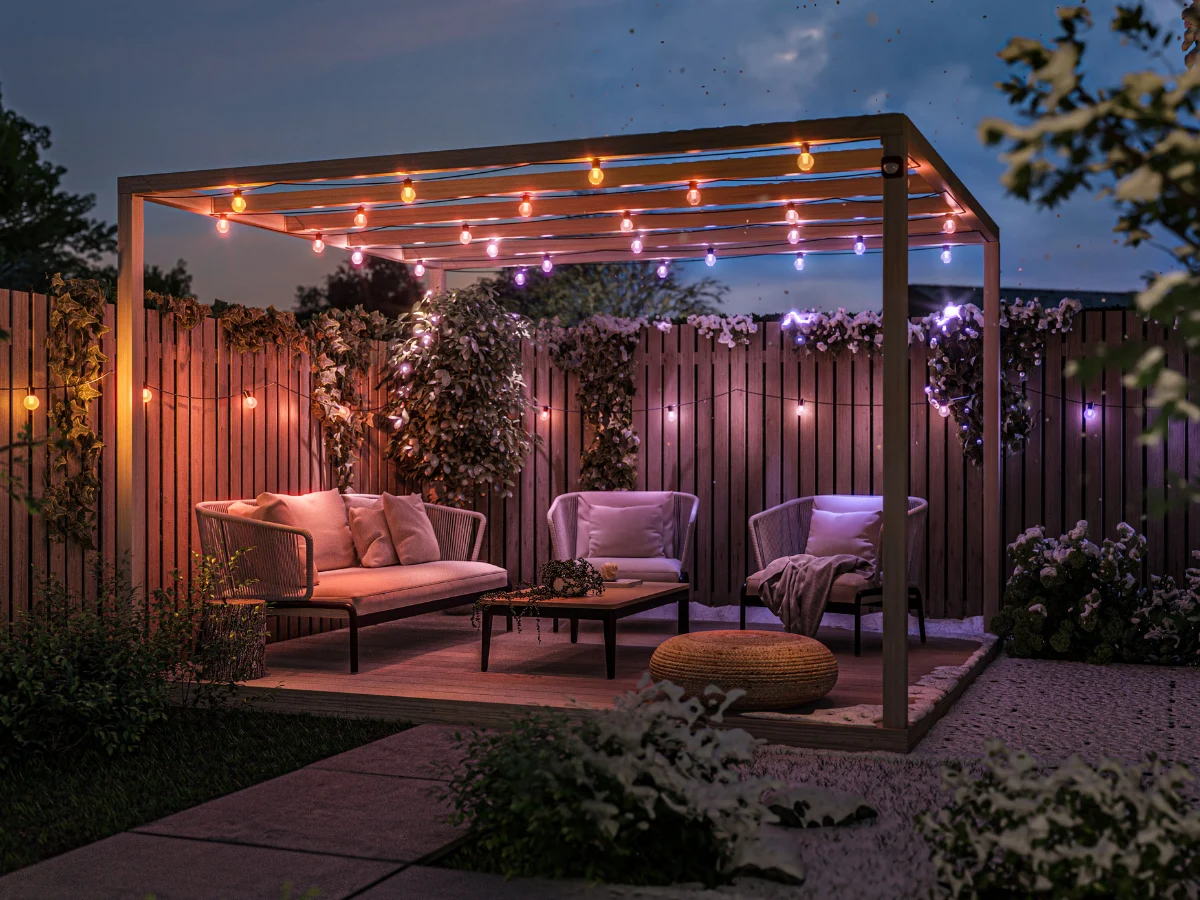
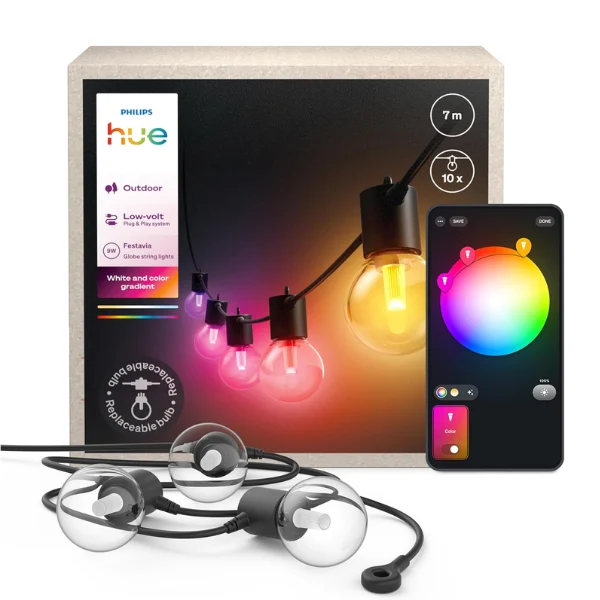
    The Philips Hue Festavia globe outdoor string lights are now introduced in two longer options. In August 2025, the shorter 7m/22ft version of this smart lighting product was released. Now, customers have the choice of two extended lengths: 14m/45ft featuring 16 bulbs, and 28m/91ft with 32 bulbs.

    Pricing Details

    In the United States, the prices for the 14m/45ft and 28m/91ft versions of the Philips Hue Festavia globe outdoor string lights are set at $219.99 and $362.99, respectively, at the brand’s online store. Additionally, the shorter 7m/22ft version is currently on sale on Amazon, thanks to a 20% discount, which brings the price down from $175.99 to $140.79. The 14m/45ft variant is also available in European markets like the UK and France for £249.99/€219.99.

    Features of the Lights

    The Philips Hue Festavia globe outdoor string lights come with replaceable bulbs that are designed to last for about 25,000 hours. Each bulb can produce up to 50 lumens of brightness, meaning the longest set can reach a total of 1,600 lumens. It’s marketed as a full-spectrum smart light, accommodating color temperatures from 1,000 to 20,000 K. ChromaSync technology is claimed to provide accurate colors, while the Philips Hue app allows users to customize the lighting. Within the app, users can select from a variety of dynamic white and color lighting effects, some of which can even sync with music.

    Additional Information

    These outdoor string lights feature black wires and fixtures, and they come with a low-voltage power supply included in the package. It is still unclear when the 28m/91ft version of the Philips Hue Festavia globe outdoor string lights will be available in Europe, where they are anticipated to be sold for €289.99.

    Source:
    Link


  • Philips Hue Update Enhances AI Assistant and Introduces Features

    Philips Hue Update Enhances AI Assistant and Introduces Features

    Key Takeaways

    1. Philips Hue app version 5.54 is currently available for Android users, with an iOS version coming soon.
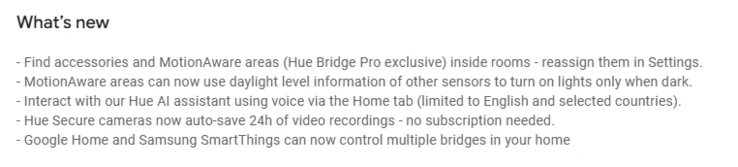
    2. Hue Bridge Pro users can adjust MotionAware areas based on light levels and easily locate them in Room View.
    3. All users can view accessories, like the Smart Dimmer Switch, directly from the Room View.
    4. The Hue AI Assistant now recognizes English voice commands and supports multiple bridge setups via Google Home and Samsung SmartThings.
    5. The Hue Secure camera will automatically save 24 hours of video recordings for free.


    A fresh update of the Philips Hue app, version 5.54, has been released. At this time, it is only accessible for Android users, with an iOS version on the way soon. This update comes just weeks after the last version, 5.53, which introduced modifications related to MotionAware areas and accessories.

    New Features for Hue Bridge Pro Owners

    The first two updates mentioned in the release notes are exclusive to those with a Philips Hue Bridge Pro. These users can now adjust MotionAware areas to activate or deactivate based on the light level detected by a light sensor. This feature lets you set your lights to only respond to motion when it’s dark outside. Additionally, Hue Bridge Pro users can now easily locate MotionAware areas within the Room View. In a similar vein, all users can now view their accessories, including the Smart Dimmer Switch (currently priced at $30.99 on Amazon), right from the Room View.

    Enhancements for the Hue AI Assistant

    Another notable improvement in the Philips Hue app version 5.54 is for the Hue AI Assistant, located on the Home tab. This assistant now recognizes voice commands, albeit only in English at this moment. The company has mentioned that it is available in a limited number of countries, but has not provided more specifics. Furthermore, the Hue Secure camera will now automatically save 24 hours of video recordings without any charge. Lastly, there is now support for controlling multiple bridge setups via Google Home and Samsung SmartThings.

    Source:
    Link


  • Philips Hue Introduces Colorful Themed Scenes for Smart Lights

    Philips Hue Introduces Colorful Themed Scenes for Smart Lights

    Key Takeaways

    1. Philips Hue has introduced eight Halloween lighting scenes for users to enjoy as the holiday approaches on October 31st.
    2. Two new lighting effects were added in 2024, but no new scenes were introduced this year.
    3. Some scenes include Candlelight or Fireplace effects, which are compatible only with specific Philips Hue smart lights.
    4. Users can customize their Halloween lighting using the Philips Hue app, adjusting speed, brightness, and colors.
    5. The Halloween scenes are available immediately and will be removed from the app in early November.


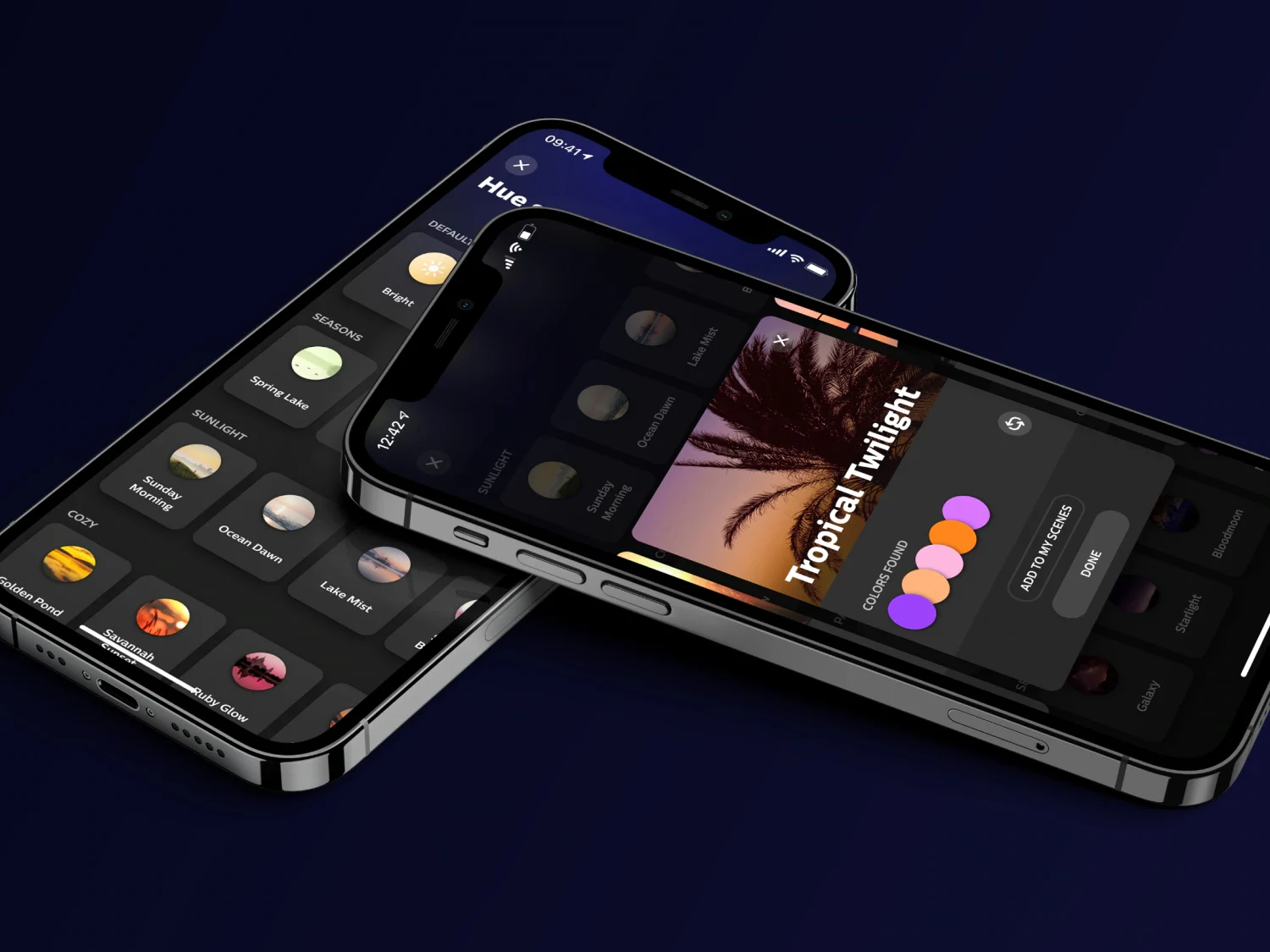
    Halloween scenes are now available in the Philips Hue app. The brand frequently introduces seasonal lighting effects for its users; for instance, in September, a new section called Harvest Hues was added to the Hue Scene gallery to welcome the autumn season.

    Exciting Halloween Options

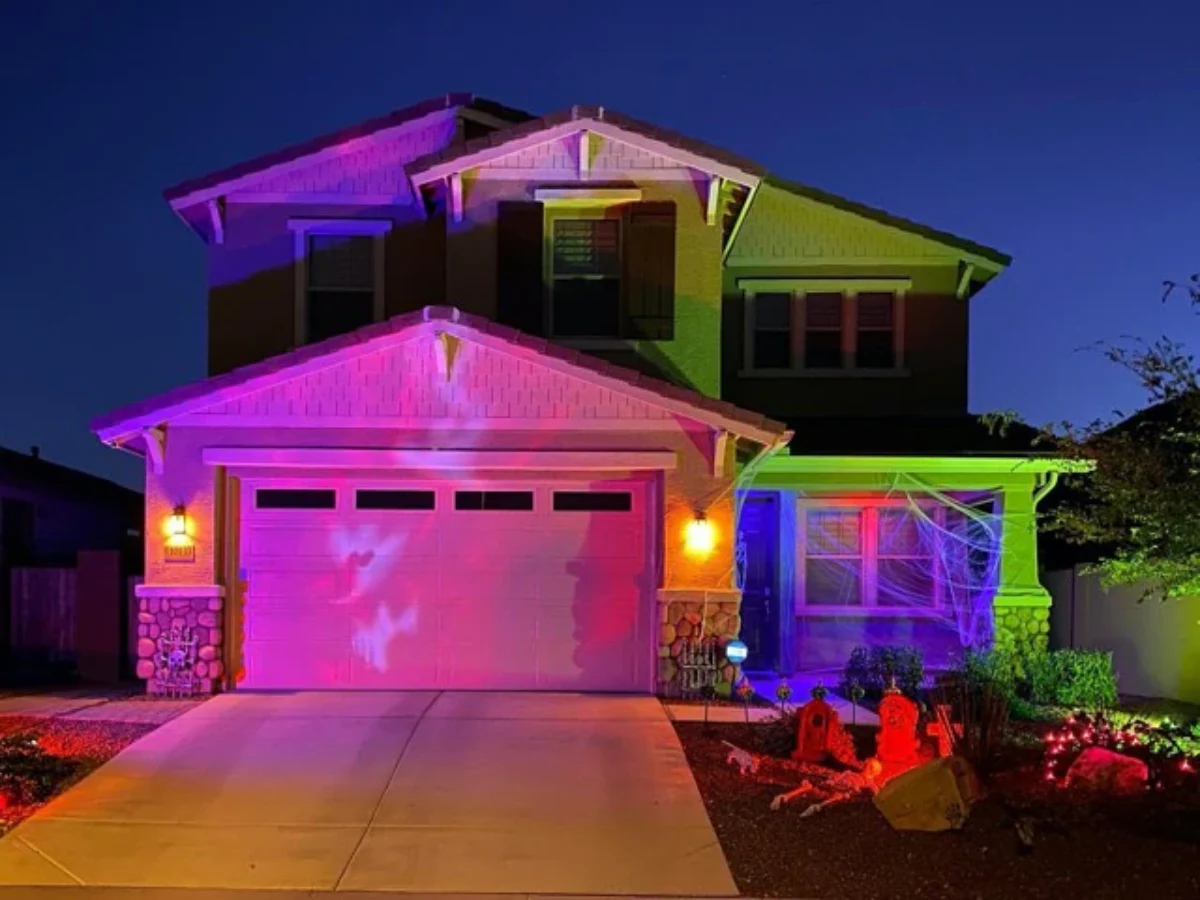
    As Halloween gets closer on October 31st, Philips Hue smart light users can already enjoy eight scenes that celebrate this spooky holiday. Although the company introduced two new lighting effects in 2024, there are no fresh scenes this year. This means users can select from these eight options:

    It’s important to mention that some of these scenes feature Candlelight or Fireplace effects, but these can only be used with certain Philips Hue smart lights, such as the Philips Hue Smart LED A21 Bulb, White and Color Ambiance (currently priced at $167.72 for a 4-pack on Amazon). Users can personalize their Halloween lighting using the Philips Hue app, allowing adjustments to speed, brightness, and colors.

    Accessing the Scenes

    Users can start using these scenes immediately, without needing to update the Philips Hue app on iOS or Android. They can be found in the Hue Scene gallery for either a specific light or a group. The Philips Hue Halloween scenes are anticipated to be automatically taken down from the app in early November.


  • Philips Hue App Update: Four New Features and Improvements

    Philips Hue App Update: Four New Features and Improvements

    Key Takeaways

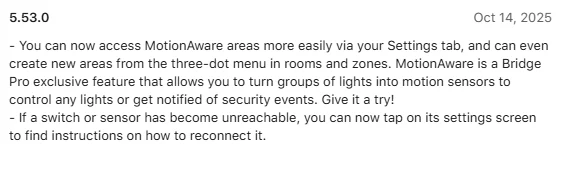
    1. The Philips Hue app version 5.53 enhances access to MotionAware areas for Hue Bridge Pro users.
    2. Users can create new MotionAware areas easily via the Settings tab and a three-dot menu.
    3. Reconnection guidelines for switches and sensors are now available in the device settings.
    4. The Room View feature has been upgraded to display switches, sensors, cameras, and MotionAware areas.
    5. A privacy zone option is now available for Hue Secure Video Doorbell users with a Plus plan.


    The Philips Hue app has just released version 5.53 for those who use the brand’s smart home gadgets. This new update for both iOS and Android follows closely on the heels of version 5.52, which introduced the feature to export scenes to Apple Home using Matter, and also added support for the new Hue Secure Wired video doorbell, currently priced at $169.99 on Amazon.

    Enhancements for Hue Bridge Pro Users

    With the arrival of the Philips Hue app version 5.53, there’s a notable enhancement for users with the Hue Bridge Pro. This update simplifies the process of accessing your MotionAware areas. Just to recap, MotionAware allows clusters of smart lights to function as motion detectors. Now, you can easily find your MotionAware areas in the Settings tab, and create new areas by using the three-dot menu found in a specific room or zone. Also, there’s an improvement for those with switches or sensors; if you can’t reach these accessories, reconnection guidelines are available from the device’s settings screen.

    Additional Features Noted by Users

    Moreover, two additional updates, which are not detailed in the official release notes, have been noticed by Hueblog.com. The first improvement is the already mentioned Room View upgrade, which enables users to see switches, sensors, cameras, and MotionAware areas in each room. These features are now included alongside the existing lists of lights and scenes in Room View. The second new feature is the privacy zone option for users of the Hue Secure Video Doorbell who have a Plus plan, allowing you to obscure a portion of the image.

    Source:
    Link


  • Home Assistant 2025.10 Launches New AI Image Generation Tool

    Home Assistant 2025.10 Launches New AI Image Generation Tool

    Key Takeaways

    1. Enhancements to the automations editor, including resizable sidebar and keyboard shortcuts (CTRL+V, CTRL+Z, CTRL+Y).
    2. Improvements in voice assistant features with options for two wake words and intelligent dashboards that suggest entities.
    3. Introduction of AI Task feature that can generate images based on user activity (e.g., cartoon images from smart doorbell captures).
    4. New integrations added for Libre Hardware Monitor, Droplet water usage monitor, and Cync smart products.
    5. Updated Philips Hue integration now supports MotionAware sensors with the new Hue Bridge Pro.


    Home Assistant 2025.10 is now out! This new version of the open-source software for smart home automation is the tenth one released this year. The last version, 2025.9, introduced a new automations sidebar and extra features for tiles.

    Automations Editor Enhancements

    According to the change log for Home Assistant 2025.10, there are additional updates for the automations editor. The sidebar that was recently added can now be resized, and users can utilize CTRL+V as a paste shortcut. The overflow menu, which can be activated by the (…) button, has been moved back to the main part of the editor. Users now have the ability to undo or redo changes, with the helpful CTRL+Z and CTRL+Y keyboard shortcuts available for convenience.

    Voice Assistant Improvements

    Another notable change involves the ESPHome-based voice assistants, allowing users to select two wake words along with two assistants for their configuration. The dashboards are reported to be more intelligent, offering suggested entities based on user activities and the current time. Additionally, the AI Task feature can generate images. For instance, with a smart doorbell, you can set it to display a cartoon version of the image captured when someone visits your home (see demo video below).

    New Integrations Available

    Moreover, there are fresh integrations for Libre Hardware Monitor, Droplet water usage monitor, and Cync (previously known as C by GE) products, including the GE Cync A19 LED Smart Light Bulbs (2-pack currently priced at $22.97 on Amazon). Furthermore, the Philips Hue integration now supports MotionAware sensors with the new Hue Bridge Pro. For more details, you can check out the complete release notes for Home Assistant 2025.10 on the company’s blog.

    Source:
    Link


  • Philips Hue Update Introduces New Feature for Apple Home Users

    Philips Hue Update Introduces New Feature for Apple Home Users

    Key Takeaways

    1. The Philips Hue app has been updated to version 5.52.0 for iOS, with an Android version coming soon.
    2. Users can now export their lighting scenes to Apple Home via Matter for easier activation.
    3. The update includes support for the new Philips Hue Secure video doorbell and smart chime.
    4. Philips Hue now integrates with Sonos, allowing remote control of lights using Sonos Voice Control.
    5. The Sonos voice assistant in this update currently supports only English and French.


    A fresh update is out for the Philips Hue app. The software version 5.52.0 is now ready for iOS users, and it will soon be available for Android devices as well. This update comes just a week after the previous one, which introduced new scenes inspired by the fall season.

    New Features You Can Enjoy

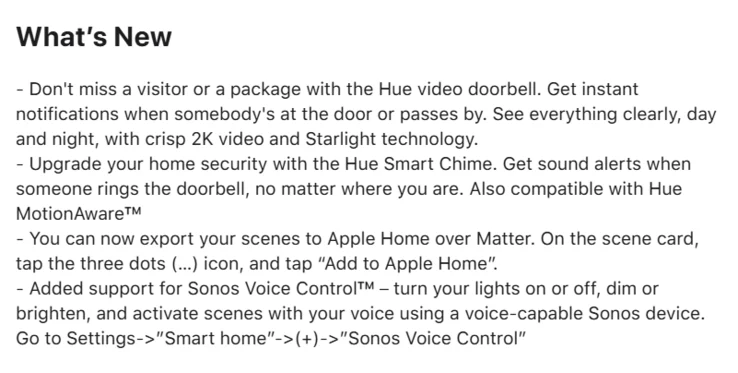
    According to the change log for version 5.52.0, users now have the ability to export their scenes to Apple Home via Matter. To utilize this feature, select your desired scene, press the (…) icon, and choose “Add to Apple Home.” This means that scenes from Hue smart lighting can now be activated by devices within your Apple Home setup. Additionally, this update includes support for the newly launched Philips Hue Secure video doorbell and the Philips Hue Secure smart chime.

    Exciting Integrations

    Philips Hue has also highlighted the new integration with Sonos in this latest update. As Sonos announced a few weeks back, users can now control their Philips Hue smart lights remotely using Sonos Voice Control. The functions available include turning lights on or off, changing brightness levels, and activating various scenes. To set this up, navigate to Settings in the Philips Hue app, then Smart Home, and tap on (+) for Sonos Voice Control. It’s important to mention that the Sonos voice assistant currently supports only English and French.

    You can get the Philips Hue app version 5.52.0 update from the Apple App Store. Once it’s available, Android users will be able to download the update from the Google Play Store.

    Source:
    Link


  • New Philips Hue Smart Lighting Scenes Unveiled Unexpectedly

    New Philips Hue Smart Lighting Scenes Unveiled Unexpectedly

    Key Takeaways

    1. Philips Hue has added new seasonal lighting effects in the mobile app with update version 5.51.0.
    2. Nine dynamic fall-themed lighting effects are available in the “Harvest Hues” category.
    3. The first effect, “Golden hours,” adjusts lighting to match your natural body clock over 24 hours.
    4. New scenes feature rich orange tones and options like Amber robin, Autumn gold, and Pumpkin spice.
    5. The effects are compatible with Philips Hue white and color ambiance lights, including the OmniGlow Strip light.


    Philips Hue has introduced fresh seasonal lighting effects in its mobile application. These features seem to have come with the most recent update, version 5.51.0, even if they weren’t specifically mentioned in the update notes. The release just indicated that there were “various bug fixes and stability improvements.”

    New Fall Lighting Effects

    According to Hueblog.com, a set of nine dynamic lighting effects themed around fall has shown up in the Hue scene gallery, categorized under “Harvest Hues.” The first effect, called Golden hours, is an established option that runs over a 24-hour period, adjusting the lights to match your natural body clock. Expect to see numerous scenes rich in orange tones, such as Amber robin, Autumn gold, Fall harvest, and Pumpkin spice. Users can also select other choices that feature a broader spectrum of colors, including Pumpkin patch, Downtown drizzle, Woodland toadstool, and November haze.

    Compatible Devices and Download Options

    These autumn scenes are intended for users with Philips Hue white and color ambiance smart lights, including the new OmniGlow Strip light, which is currently priced at $139.99 on Amazon. You can get the newest version of the Philips Hue app from both the Apple App Store and the Google Play Store.

    Source:
    Link


  • New Philips Hue App Update Brings Exciting Integration Features

    New Philips Hue App Update Brings Exciting Integration Features

    Key Takeaways

    1. Philips Hue smart home users can now control their devices using Sonos Voice Control features.
    2. Five voice commands allow users to modify brightness, alter color, turn lights on/off, activate smart scenes, and control smart plugs.
    3. Integration requires a Philips Hue Bridge or Bridge Pro and is currently available in US English and French.
    4. Users can set up the integration through the Philips Hue app in the Smart home settings.
    5. The Philips Hue app has been updated to version 5.51.0, with bug fixes and stability improvements.


    Philips Hue smart home users can now use the Sonos Voice Control feature to manage their devices. This integration was announced earlier this year and is currently available for many users.

    Voice Control Features

    The Philips Hue voice control feature is being made accessible to Sonos users through firmware updates. A representative from Sonos shared in a forum post that there are five voice commands available, which let users modify brightness, alter color, or turn lights on and off. Additionally, users can activate smart scenes and control smart plugs remotely with these commands. This functionality will be available on products like the Arc Ultra, Arc, Beam (both generations), Era 100, Era 300, One, Move, Move 2, Roam, Roam 2, and Era 100 Pro.

    Setting Up the Integration

    To set up the integration, users can navigate to the Philips Hue app and go to Settings > Smart home > (+) > Sonos. It is important to note that having a Philips Hue Bridge or a Philips Hue Bridge Pro is necessary to utilize this feature (currently priced at $98.99 on Amazon). Another limitation is that the integration presently supports only two languages: US English and French, similar to the broader Sonos Voice Control feature. Unfortunately, there is no information yet on when additional languages may be added.

    App Update Details

    In addition to this integration, Philips Hue has rolled out an update for its smartphone app, now at version 5.51.0. The release notes mention bug fixes, though specific issues aren’t listed. There are also claims of improvements in stability, but again, there are no further details. Users can download the Philips Hue app version 5.51.0 from both the Apple App Store and the Google Play Store.

    Source:
    Link