
1. PC gaming can be relatively effectively simulated on high-end Android tablets like the Lenovo Legion Tab 5 using emulators that support Steam or Epic Store games.
2. Performance varies depending on the game, with lighter titles running reliably and demanding games experiencing longer load times and occasional stuttering.
3. The current beta version of the emulator has some quirks, including inconsistent cloud save synchronization, crashes, and variable download speeds.
4. While not as seamless as dedicated handheld consoles like the Steam Deck, Android tablets with emulators offer a viable gaming option for owners of powerful devices seeking portability.
Gaming handhelds where very popular in last few years especially after the Nintendo Switch and Steam Deck making a big comeback, even tho they had been around since old school devices like Game & Watch or Game Boy. The question now is if you really need a dedicated handheld gaming device or not – and the answer is not quite simple.
Android gaming with PC Emulator
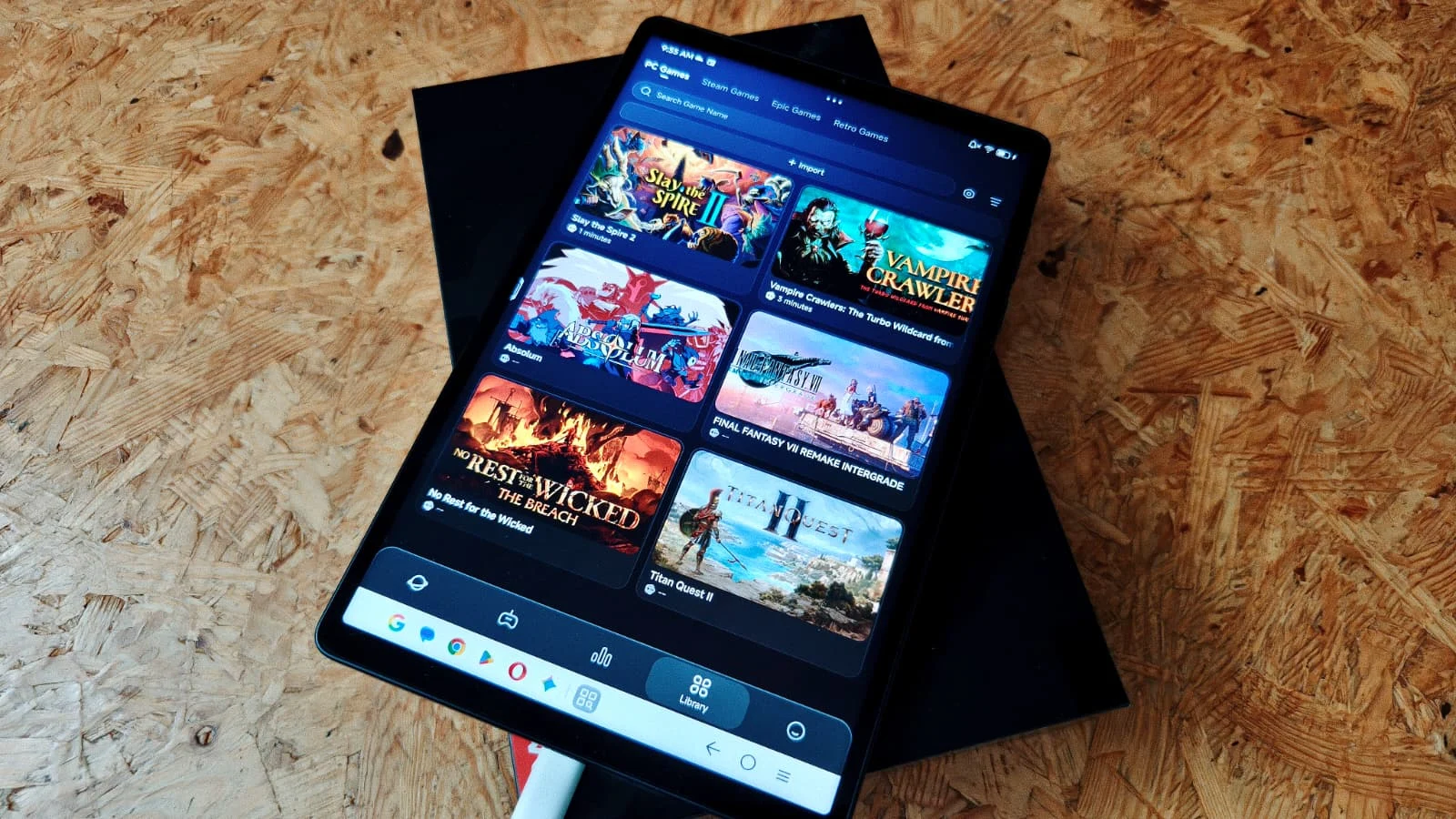
The Lenovo Legion Tab 5, which is sold in some parts of the world came with a surprise — a built-in PC emulator that allow playing Steam and Epic Store games directly on the tab. Many users in Europe, for instance, can simply download GameHub from the official website, making it super easy to access their Steam library or Epic Store titles, including cloud saves. The emulator is totally free, so give it a try without any worry of extra costs.
Performance and user experience
We went ahead and tested how well PC gaming works on this high-end tablet. To start, the emulator’s interface was not super intuitive at first, but after a little tinkering, it became clear where everything was. Linking a Steam library is quick and simple, and downloads began without fuss. Still, in beta version 6.0, some quirks showed up: cloud save syncs are sometimes flaky, and it might be needed to restart a game after download before another can be installed, plus load times are still kinda long even on a speedy tablet like the Legion Tab 5. Controls can be handled via touchscreen, on-screen buttons, or a connected gamepad depending on what the user prefer.
Performance in gaming tests
Our first tests with less demanding games like Vampire Crawlers and Slay the Spire 2 were promising. They played reasonably smooth, despite occasional long load screens. To push the limits, we then added some heavier titles like Final Fantasy VII Remake Intergrade. Interestingly, this game loaded quicker than expected, and once running, it achieved a playable 30 frames per second with some occasional stuttering. The visuals were still quite impressive considering the hardware.
Final impressions and usability
After roughly two hours of testing with the Legion Tab 5 and GameHub, it was clear that this solution is quite interesting — even demanding PC games are playable through the emulator on an Android device. The overall performance is decent but could use some improvements, especially in load times and stability. We encountered some issues like cloud saves not syncing and uneven game download speeds, but all these bugs are likely because the emulator is still in beta stage. Devices like the Steam Deck or other Windows-based handhelds will probably offer smoother, more reliable experience, but if you already own a powerful Android tablet and want to casually play some steam titles, you can definitely give this a shot without much risk.