
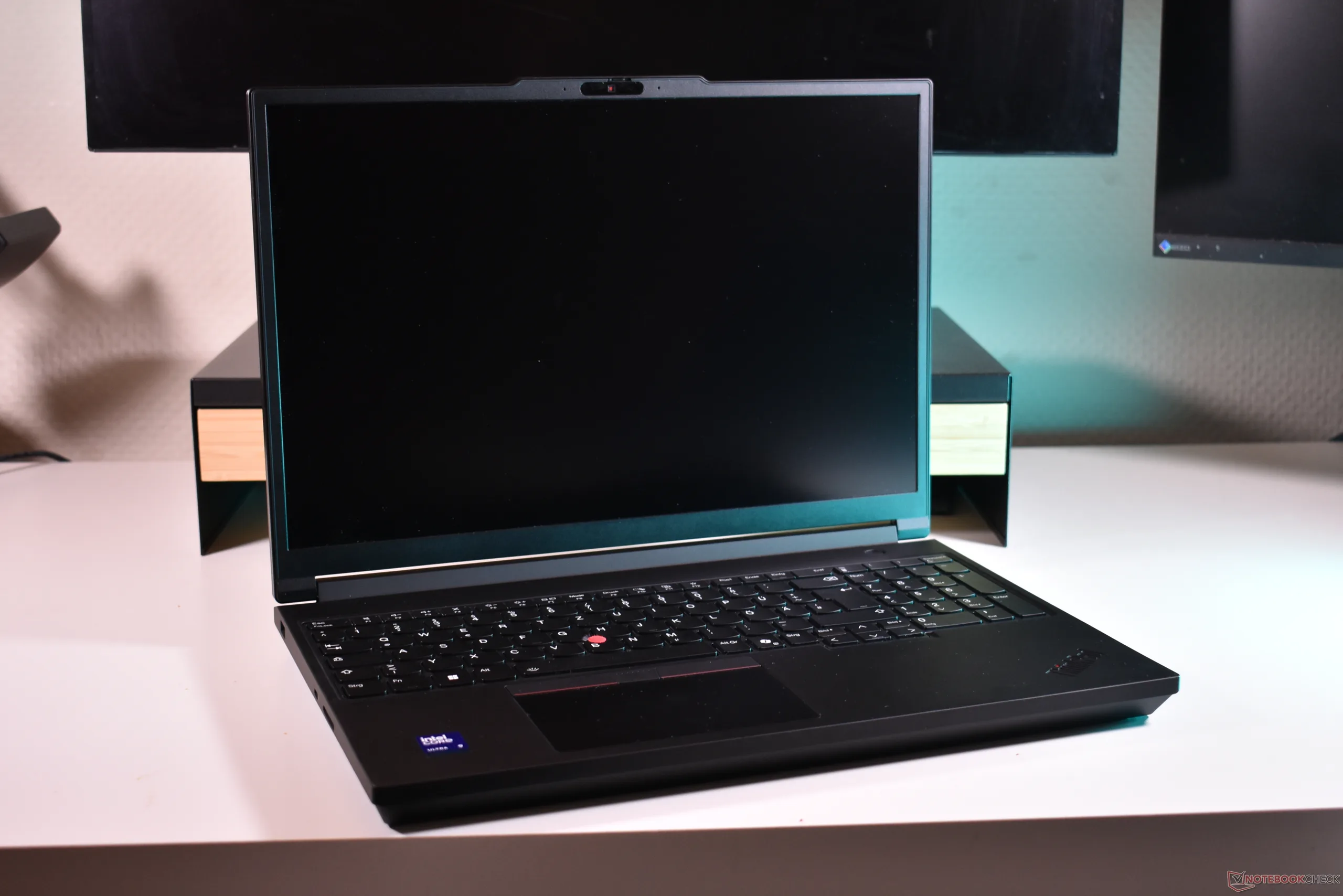
Tag: Nvidia RTX Pro

  • Lenovo RTX Pro vs. GeForce RTX: Why the Pro GPU is Worth It

    Lenovo RTX Pro vs. GeForce RTX: Why the Pro GPU is Worth It

    Key Takeaway

    1. Nvidia’s RTX Pro series, historically known as Quadro, is targeted at professional and workstation markets, distinct from the consumer-oriented GeForce RTX lineup.
    2. RTX Pro GPUs are optimized for CAD and professional workloads, often outperforming GeForce counterparts in these specific tasks despite similar overall hardware specs.
    3. Driver optimization and workstation-specific features significantly impact performance in professional applications, making RTX Pro a preferable choice for professional users.

    Introduction to Nvidia’s GPU Brands

    Most people who know about computers are surely familiar with Nvidia GeForce RTX, cuz it’s the biggest name in GPU production these days. Nvidia’s been pretty much on top of the GPU world, kinda like a monopoly, with their RTX series being highly popular among gamers and professionals alike.

    Understanding Nvidia’s Second Brand

    But what many don’t realize is Nvidia’s got another line of GPUs – the Nvidia RTX Pro series, which used to be called Nvidia Quadro. These GPUs are mainly aimed at professionals who use heavy duty CAD and workstation applications. They are cornerstone components in most mobile workstation laptops available now.

    Real World Comparison of GPUs in Laptops

    Take the example of the Lenovo ThinkPad P16 Gen 3, a well-regarded mobile workstation. It features an Nvidia RTX Pro 3000 Blackwell, comparable to the Nvidia GeForce RTX 5070 Ti. We also looked at the Lenovo ThinkPad T16g Gen 3, which shares the same design but uses Nvidia GeForce GPUs — in our case, the RTX 5080.

    Performance and Benchmark Results

    The RTX 5080 is generally faster overall when it comes to gaming and graphics, but in specialized workstation tests, like the SPECviewperf 2020, the RTX Pro performed remarkably well. This test benchmarks various CAD applications, emphasizing professional usage over gaming.

    Performance Difference in Professional Tasks

    The comparison revealed that the ThinkPad P16 outperformed the T16g by approximately 67 percent, highlighting the importance of choosing the right GPU for specific workloads. Even if chips seem similar technically, things like driver optimization for CAD software can really impact performance.

    Summary and Conclusion

    In conclusion, for users who depend on workstation applications, opting for Nvidia’s RTX Pro series instead of GeForce models might be more beneficial. The specialized drivers and optimizations can make a huge difference, especially in professional environments. Therefore, the choice of GPU should consider application-specific needs rather than raw power alone.
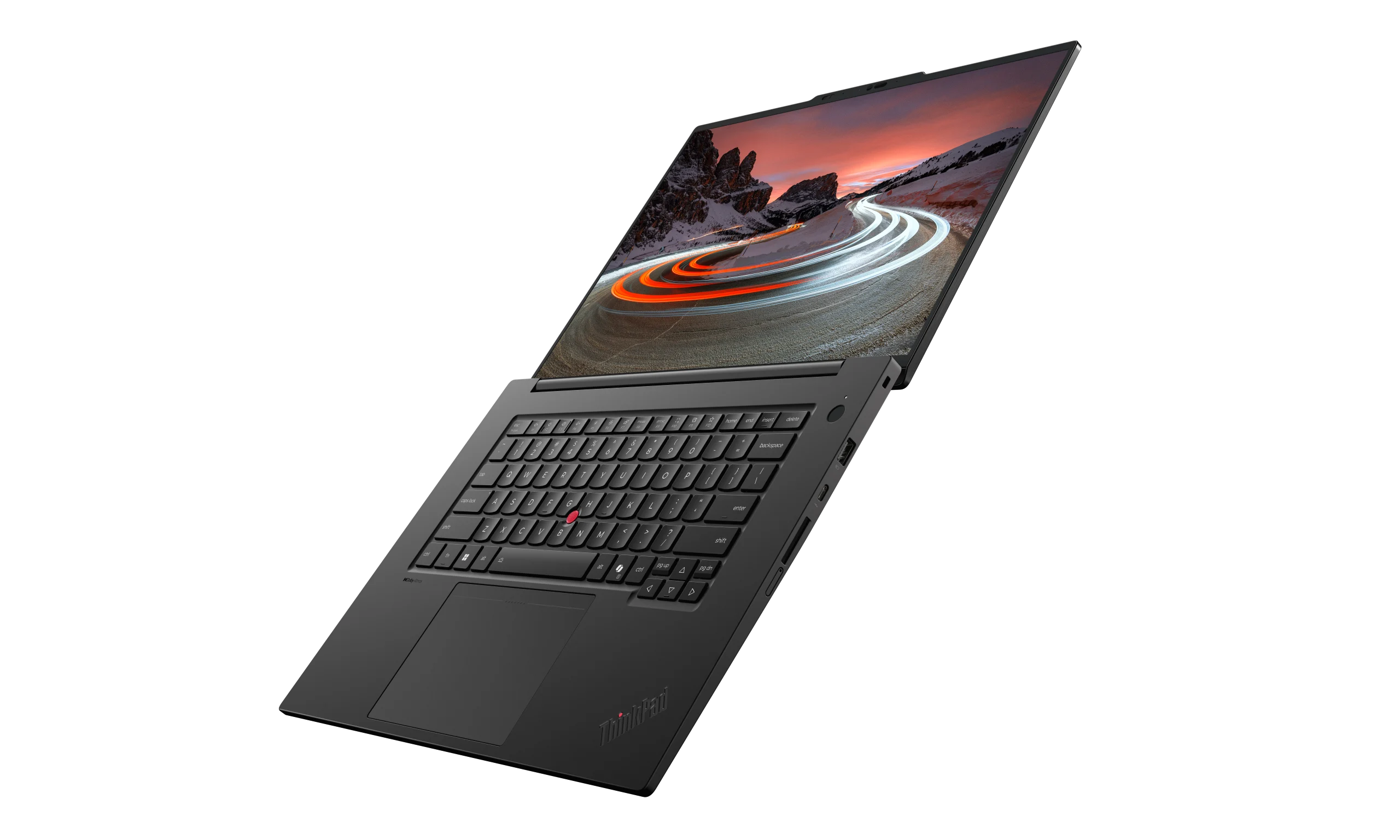
    Sources
    • Lenovo ThinkPad P1 Gen 9 Launch: Quick Update After 6 Months

      Lenovo ThinkPad P1 Gen 9 Launch: Quick Update After 6 Months

      Key Takeaways

      1. Lenovo ThinkPad P1 Gen 8 was unveiled at IFA 2025 after a 17-month life cycle of Gen 7.
      2. The ThinkPad P1 Gen 9 is being released just six months after Gen 8, coinciding with Nvidia’s GTC conference.
      3. The new model continues to use Nvidia RTX Pro GPUs, with the highest option being the Nvidia RTX Pro 2000 Blackwell.
      4. Significant internal upgrades include a shift to Panther Lake H CPUs and support for up to 96 GB of LPDDR5X RAM.
      5. The ThinkPad P1 Gen 9 will launch in June 2026 and includes new features like 5G support, but pricing details are not yet available.


      Customers had to be patient while waiting for the Lenovo ThinkPad P1 Gen 8. Its earlier model, the Lenovo ThinkPad P1 Gen 7 (which can be found on Amazon), was revealed in April 2024. This model had a life cycle that lasted over a year, specifically 17 months, until the ThinkPad P1 Gen 8 was unveiled at IFA 2025.

      A Quick Turnaround

      Interestingly, after such a lengthy life cycle, the new model seems to have a very brief one. Just six months later, Lenovo is rolling out the ThinkPad P1 Gen 9 today, coinciding with the start of Nvidia’s GTC conference.

      This new product is, of course, equipped with Nvidia GPUs. Since there were no new GPUs released by Nvidia this year, there are no updates in this aspect – Lenovo continues to utilize the Nvidia RTX Pro GPUs, with the Nvidia RTX Pro 2000 Blackwell as the highest option available.

      Exciting Internal Updates

      The CPU has seen a change, as Lenovo shifts from Arrow Lake H to Panther Lake H. This includes the Intel Core Ultra X9 CPUs with up to 12 Xe ARC graphics, making integrated GPU options much more practical for demanding graphics applications. The powerful integrated GPU is supported by up to 96 GB of LPDDR5X RAM, with Lenovo opting for LPCAMM2 memory. The maximum memory capacity has also increased from 64 GB.

      Other than these internal modifications, the ThinkPad P1 Gen 9 remains quite similar to its predecessor. This is Lenovo’s high-end thin and light workstation, featuring a sleek black aluminum chassis, a large haptic touchpad, and an optional 16-inch Tandem OLED 3.2K (3,200 x 2,000) display, along with Thunderbolt 5 ports. A new addition this year is 5G support, which the previous model lacked entirely.

      The Lenovo ThinkPad P1 Gen 9 is set to launch in June 2026. However, Lenovo has yet to disclose any pricing details.

    • Razer Forge AI Workstations: Custom Xeon W & Threadripper Pro Desktops

      Razer Forge AI Workstations: Custom Xeon W & Threadripper Pro Desktops

      Key Takeaways

      1. Razer introduced the Forge AI Dev Workstation for AI developers at CES 2026, designed for running large-language models (LLMs) locally.
      2. The workstation features powerful specifications, including Intel Xeon W or AMD Threadripper Pro CPUs with up to 96 cores and support for multiple high-end GPUs.
      3. Users can connect multiple workstations with dual 10-Gigabit Ethernet ports to create compute clusters and can optionally rack the units for space-saving.
      4. Razer offers tailored builds and quotes for the Forge AI Dev Workstation, encouraging users to reach out for more information.
      5. Budget-friendly alternatives exist, such as distilled AI LLM models that can run on more affordable laptops like the HP EliteBook Ultra G1q 14.


      Razer has introduced the Forge AI Dev Workstation to AI developers during CES 2026. This product offers customers a specially designed desktop capable of running the most extensive artificial intelligence large-language models (LLMs) locally, providing greater security and cost efficiency compared to cloud servers or rented solutions.

      Powerful Specifications

      The Forge AI Dev Workstations are built with either Intel Xeon W or AMD Threadripper Pro CPUs, boasting up to 96 cores. They can support as many as four Nvidia RTX Pro or AMD Radeon Pro GPUs, alongside eight DDR RDIMMs, four PCIe Gen5 M.2 NVMe SSDs, eight SATA drives, and a robust 2,000W power supply. To ensure proper cooling, there are four 120 mm fans located at the front and back of the system, enabling airflow to all internal components.

      Network and Expandability

      Users can connect multiple Forge AI Dev Workstations using their dual 10-Gigabit Ethernet ports to form compute clusters. Moreover, these units can be optionally racked to save space in a work environment.

      If you’re interested, it’s recommended to reach out to Razer for tailored builds and quotes, as well as more information regarding the specifications of the Forge AI Dev Workstation.

      Budget-Friendly Alternatives

      For those who may not have the budget for a high-end workstation or at least an Nvidia 5070 GPU, there are alternatives. Distilled AI LLM models (like the one available on Hugging Face) can be utilized on more affordable laptops, such as the HP EliteBook Ultra G1q 14, which is available for purchase on Amazon.

      Razer’s

      Source:
      Link