
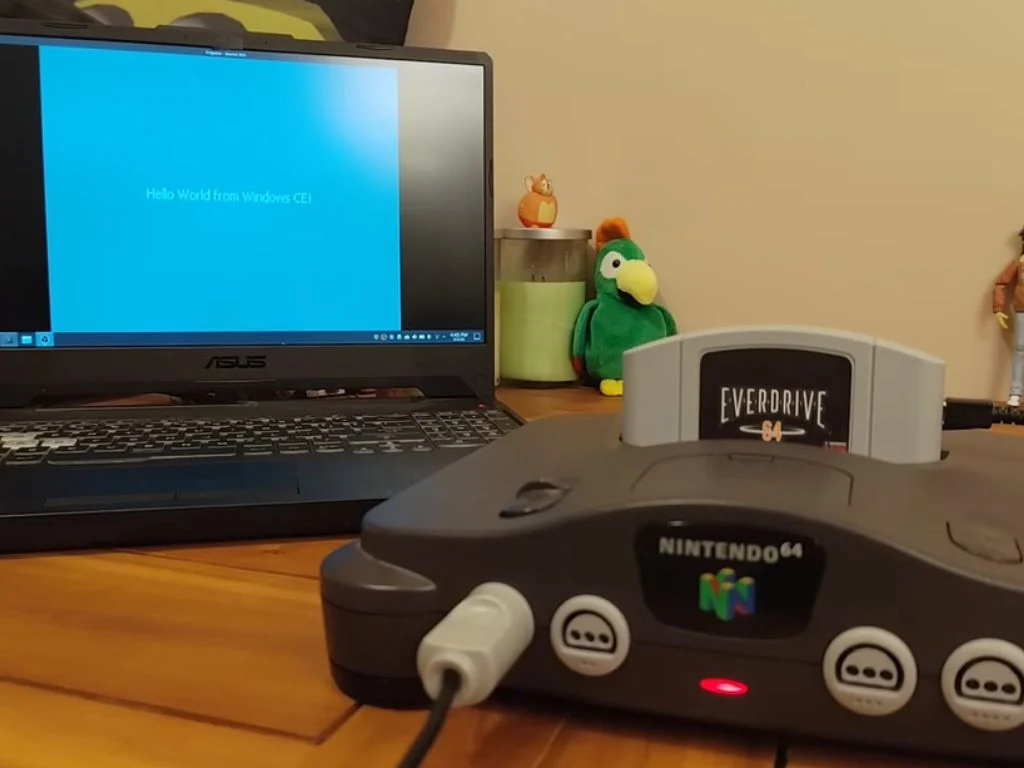
– Windows CE 2.11 runs on Nintendo 64 by porting the kernel and writing custom drivers for N64 hardware.
– An EverDrive 64 X7 with N64C4.Z64 boot image enables plug-and-play loading into Windows CE on the N64.
– The setup uses the N64’s RDP for graphics, reconfigures controls as a mouse, and routes sound through the N64 audio hardware.
Overview of the Retro Windows CE on Nintendo 64 Project
Developer and DIY modder Throaty Mumbo spent months refining an idea that started as a simple observation regarding shared hardware. He pondered how an old IBM Workpad Z50 laptop uses a MIPS processor, much like the Nintendo 64. His old IBM Workpad ran Windows CE without any trouble. So, Mumbo wondered what would happen if they tried to run Windows CE on the Nintendo 64. The task seemed daunting, but curiosity outweighed the risk, driving meticulous experimentation across countless sessions. The tone here captures a sense of gritty experimentation and patient persistence that marks this unusual cross-pollination of platforms.
From Concept to CE 2.11 on N64
However, it wasn’t an easy feat, to say the least. Windows CE version 2.11 finally made its way to the Nintendo 64 after rounds of tinkering, with no compromises or shortcuts. Mumbo explained in his GitHub repo, “This is a hobby reverse-engineering project; there is no official CE 2.11 port to the N64 from Microsoft.” The language hints at a laborious journey where hobbyist spirit battled official constraints, weaving a narrative of dedication rather than corporate backing. The explanation underscores the experimental nature of the endeavor and the lack of formal endorsement.
Engineering Hands and Tools Used
He further explained that the Windows CE 2.11 Nintendo 64 project was pretty much “the ultimate challenge that nobody asked for – Windows CE on the N64! Can it be done? Probably. Should it be done? No, absolutely not.” The remark signals a playful yet provocative stance toward pushing boundaries, while acknowledging ethical and practical doubts about the venture. It reads like a diary entry from someone chasing the edge of what hardware can host, even if the idea seems quixotic to many observers.
How The Port Was Achieved
So, how did he manage to get Windows CE 2.11 running on Nintendo’s retro home console, the Nintendo 64? He started with Microsoft’s official late-1990s Platform Builder tools and then wrote every custom driver himself to handle the N64’s quirks. The display was output using the console’s RDP graphics for acceleration, controller inputs were reconfigured to mouse controls, and sound was routed through the N64’s built-in audio hardware. As for the core Windows kernel, it was ported as-is. The explanation teases a blend of canonical development tools and bespoke adaptation, presenting a complex choreography between legacy software frameworks and retro hardware.
Hardware Setup and Boot Process
He used an EverDrive 64 X7 cartridge that loads a roughly 3.5 MB ROM called N64C4.Z64. It’s pretty much plug-and-play at this point. All you have to do is power on the console, load a tiny bootloader, and load into Windows. Within mere seconds, you’re in a full desktop environment, complete with a taskbar, Start menu, Recycle Bin, and more. This portion of the narrative emphasizes a surprisingly smooth boot experience, given the antiquated and specialized nature of the hardware involved. It reads like a checklist of steps that audience members could potentially replicate with the right parts.
Input, Output, and Peripherals
The regular N64 controller works as a mouse, with A for left-click and B for right-click, while an official N64 mouse works even more smoothly for precise pointing. And if you’re wondering whether you can install apps, just pop in an SD card containing Windows CE programs, and you’re good to go. The text paints a practical picture of how standard peripherals can be repurposed for a desktop-like experience on a console, providing a tactile sense of how users interact with the system in real-time.
Visuals and Software Demos
The video also features a spinning Cube3D demo, which taps into the N64’s graphics hardware, including a port of a 1997 Tetris release that plays perfectly with its 8-bit chiptune sounds. The description highlights the graphical prowess of the ancient hardware when pushed beyond its usual gaming remit, offering a peek into the technical artistry of repurposing hardware for non-traditional tasks. The inclusion of a classic game port adds nostalgic texture to the overall narrative.