Tag: lightweight laptops

  • Geekom GeekBook X14 Pro: Lightweight Metal Laptop Under 1kg

    Geekom GeekBook X14 Pro: Lightweight Metal Laptop Under 1kg

    Key Takeaways

    1. Geekom introduces its first laptops, the GeekBook X14 Pro and X16 Pro, at IFA 2025.
    2. Both models feature Intel Core Ultra processors and a durable magnesium alloy body for lightweight design.
    3. The laptops offer a 120 Hz OLED display with a sharp 2.8K resolution and 100% DCI-P3 color gamut.
    4. They include multiple ports, such as USB-C with USB 4 support, USB-A, HDMI 2.0, and audio jack, along with Wi-Fi 6E and Bluetooth 5.4.
    5. Geekom’s entry into the laptop market marks a significant expansion from their mini PC offerings, with a review of the GeekBook X14 Pro expected soon.


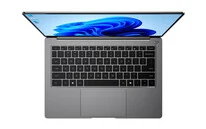
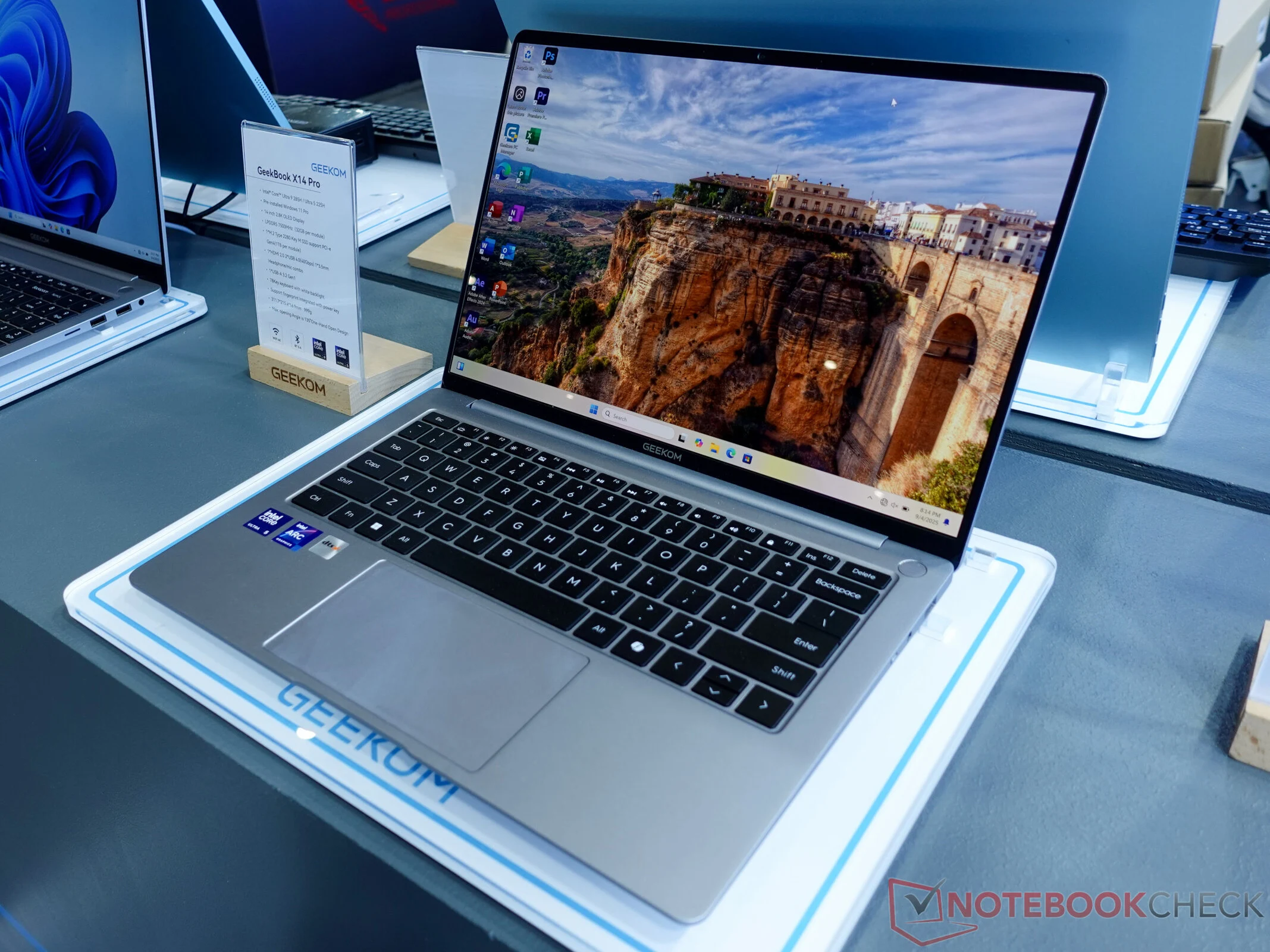
    Geekom, known for its mini PCs, is stepping into the laptop arena with the introduction of the GeekBook X14 Pro. At the IFA 2025 event, the company presented two ultralight laptops that highlight their sleek design, robust performance, and high-quality materials.

    New Models in the GeekBook X Series

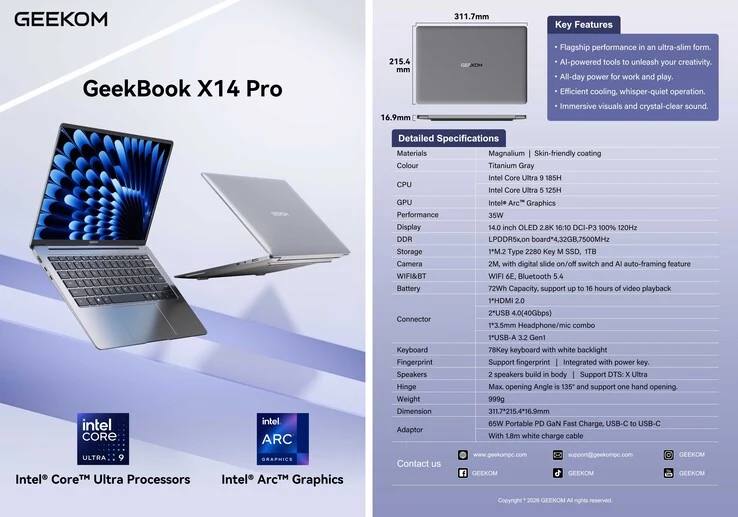
    The GeekBook X series features two variants: the GeekBook X14 Pro and the GeekBook X16 Pro. Both models are powered by the latest Intel Core Ultra processors and boast a durable full-metal body crafted from magnesium alloy, which not only ensures longevity but also keeps the weight of the devices remarkably low.

    Stunning Display and Performance

    Equipped with a 120 Hz display, these laptops deliver fluid visuals while balancing battery life and screen quality. The standout feature of the display is its OLED technology paired with a sharp 2.8K resolution. Furthermore, the manufacturer assures complete 100% DCI-P3 color gamut coverage, making these laptops ideal for professionals as well.

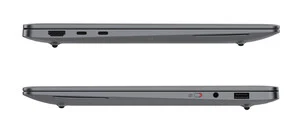
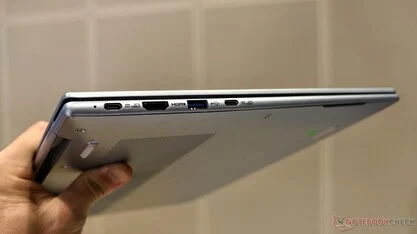
    Beneath the surface, you’ll find the advanced Intel Core Ultra 5 225H or Core Ultra 9 285H processors (Arrow Lake), with a TDP of up to 35 watts. Despite their small size, Geekom has ensured that the laptops come with a variety of useful ports. They include two USB-C ports that offer USB 4 support, a USB-A port, HDMI 2.0, and a 3.5 mm audio combo jack, covering all the necessary connections. For wireless capabilities, both Wi-Fi 6E and Bluetooth 5.4 are supported.

    A New Era for Geekom

    With the launch of the GeekBook X14 Pro and X16 Pro, Geekom is signaling a significant shift in its offerings, demonstrating its ability to produce more than just compact desktop PCs. It remains to be seen whether Geekom will meet the high expectations set by the technical specifications. An in-depth review of the GeekBook X14 Pro is on the horizon once we receive the test unit. As of now, the specific release date is still unknown.


    Source:
    Link


  • Acer Swift Air 16 Review: The Lightest 16-Inch Laptop Available

    Acer Swift Air 16 Review: The Lightest 16-Inch Laptop Available

    Key Takeaways

    1. The Acer Swift Air 16 is the lightest 16-inch laptop available, weighing less than 2.2 pounds.
    2. There is a noticeable weight difference of 0.4 lbs compared to the Acer Swift Edge 16, making it feel very light.
    3. Weight reduction comes with compromises, such as a less sturdy chassis and slight wobbling in pre-production units.
    4. The keyboard design may require adjustment, and users should test it before purchasing.
    5. Performance of the Ryzen AI 300 chipsets in the Swift Air 16 is still uncertain and will be reviewed later.


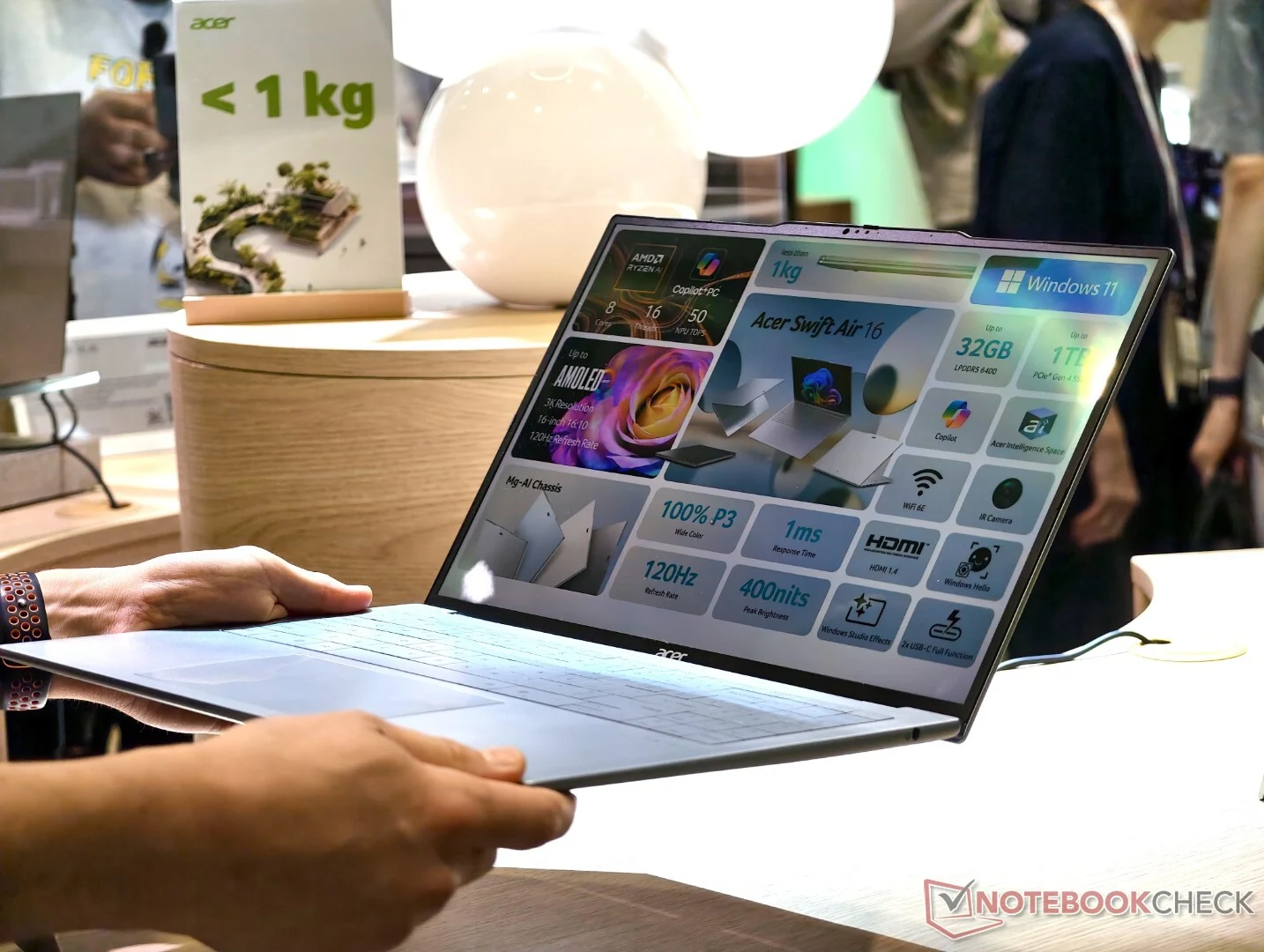
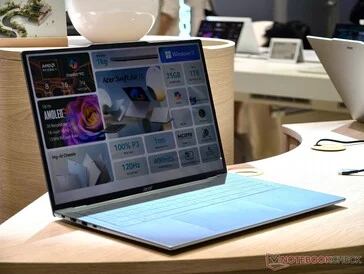
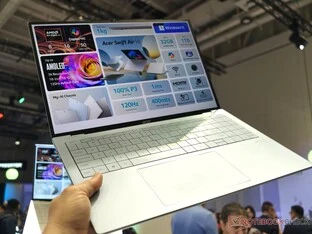
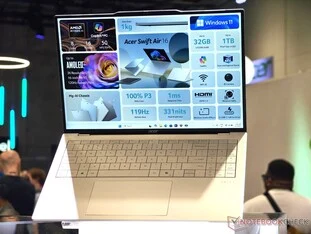
    Acer has recently revealed the Acer Swift Air 16 just ahead of IFA 2025 in Berlin. As far as we know, there isn’t a 16-inch laptop available that weighs less than 2.2 pounds. While some laptops do tip the scales at a few ounces more, buyers in this category had previously settled for smaller 13- or 14-inch screens, since added screen space always meant added weight.

    Noticeable Difference in Weight

    You can truly feel the difference between the 2024 Acer Swift Edge 16 and the new Acer Swift Air. The Swift Edge is already lightweight at 2.7 lbs, but the 0.4 lbs difference is quite significant. It feels like you’re just holding an empty frame, not a complete Ryzen AI 300 laptop with a 16-inch display. The version shown in our images features a 60Hz display, while the more colorful OLED option adds an extra 0.2 lbs. There are also plans for other premium models with a 3K OLED screen.

    Compromises with Weight Reduction

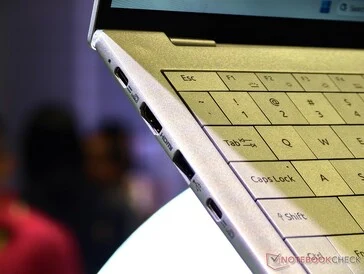
    Sadly, the reduction in weight for the Acer Swift Air 16 comes with some trade-offs. Compared to the Swift Edge 16, the chassis feels a bit more like plastic, and one test unit’s lid in the Acer showroom had a slight wobble. Thankfully, the hinge was quickly repaired, and Acer mentioned that it was just a pre-production unit.

    Keyboard and Performance Insights

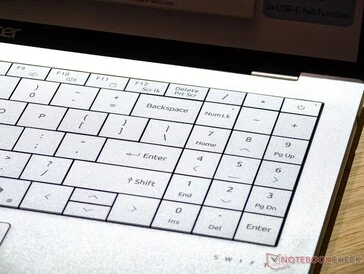
    The keyboard design seems to be in its final form, but it didn’t leave a great impression during our initial hands-on experience. You might adjust to it over time, but the seamless keyboard is definitely something anyone considering this ultra-light laptop should test before making a purchase. It’s also still uncertain how the Ryzen AI 300 chipsets will perform in this lightweight 2.2-lb body, and our forthcoming review will provide clarity on that.

    Source:
    Link


  • Dynabook Portege Z40L-N: Lightweight 14-Inch Laptop with Drawbacks

    Dynabook Portege Z40L-N: Lightweight 14-Inch Laptop with Drawbacks

    Key Takeaways

    1. Lightweight laptops, especially 14-inch variants, are easier to carry while traveling, with most weighing around 1.2 kg to 1.3 kg.
    2. The Dynabook Portege Z40L-N is notable for its low weight of only 961 g, making it the lightest in its category.
    3. Users should be aware of performance trade-offs; the Portege Z40L-N shows a performance drop of over 20% compared to other 14-inch laptops with the same processor.
    4. The smaller cooling system in the Portege Z40L-N causes it to have lower CPU performance and higher temperatures during stress tests.
    5. For those prioritizing performance in 14-inch subnotebooks, heavier models like the Dell or Lenovo are recommended over ultra-light options.


    Lightweight laptops are always easier to carry around whe traveling or on-the-go. 14-inch variants especially offer a nice mix of screen real estate and portability, with most weighing around 1.2 kg to 1.3 kg, such as the Lenovo ThinkPad X9 14 and the Dell Pro 14 Premium. However, the Dynabook Portege Z40L-N stands out because it weighs only 961 g, making it significantly lighter than other 14-inch laptops while still providing similar Core Ultra 7 processor options.

    Performance Trade-offs

    While the reduced weight is a definite plus, it’s important for users to realize that this comes with a slight dip in performance. Our comparison charts indicate that the Portege Z40L-N ranks lowest among other 14-inch laptops featuring the same Core Ultra 7 258V processor, showing a performance drop of over 20 percent on average. The smaller cooling system is mainly responsible for this; during tests like Prime95, the CPU managed to stabilize at just 2.2 GHz and a hot 82 C, in contrast to 3.4 GHz and a cooler 73 C on the Lenovo Yoga Slim 9 14 Gen 10.

    Conclusion and Recommendations

    You can find more information and benchmarks in our review of the Portege Z40L-N. Users who seek the utmost performance from their 14-inch subnotebooks might want to consider heavier alternatives like the Dell or Lenovo models instead of opting for ultra-lightweight choices like the Dynabook.

    Source:
    Link

  • Vaio Launches F14 and F16 Laptops with Intel Raptor Lake CPUs

    Vaio Launches F14 and F16 Laptops with Intel Raptor Lake CPUs

    Key Takeaways

    1. Vaio has launched two lightweight laptops, F14 and F16, designed for daily use in Japan, powered by Intel Raptor Lake processors.
    2. The F14 features a 14-inch 1080p display, while the F16 has a 16-inch 1200p display, with both screens laying flat at 180 degrees.
    3. Both models include advanced connectivity options, such as USB-C, HDMI, and Wi-Fi 6E, along with features like a 920,000-pixel webcam and Dolby Atmos speakers.
    4. The F14 is lighter at 1.23 kg (2.7 lbs) and offers up to 7.7 hours of battery life, whereas the F16 weighs 1.59 kg (3.5 lbs) with 6.0 hours of battery life.
    5. Pricing ranges from approximately 144,800 to 267,800 yen ($1,000 to $1,800), with availability mainly in Japan and options for international shipping.


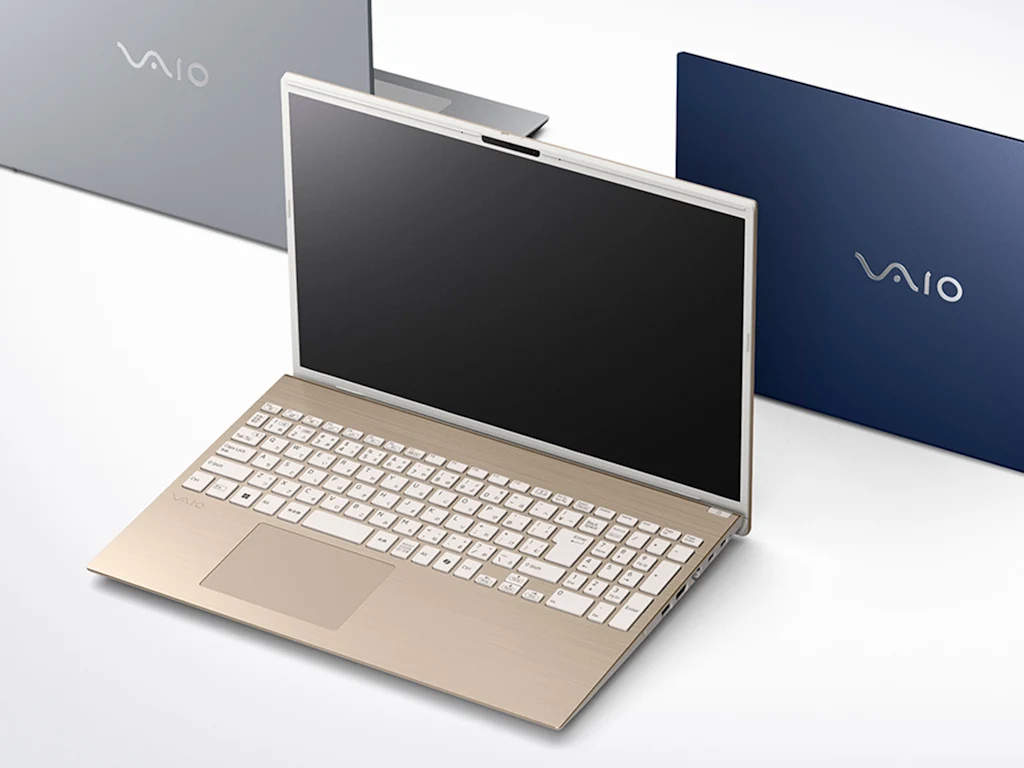
    Vaio has introduced two new lightweight laptops aimed at daily usage in the Japanese market, known as the F14 and F16.

    Performance and Specifications

    These laptops run on the latest 15-watt TDP Intel Raptor Lake mobile processors, ensuring extended battery life. Users can choose from three CPU options: Intel Core 3 100U (6C/8T), Core 5 120U (10C/12T), or Core 7 150U (10C/12T). For RAM and storage, configurations range from 8 GB RAM and 256 GB SSD to 32 GB RAM and 1 TB SSD.

    Display Features

    The F14 features a 14-inch display with a resolution of 1,920 x 1,080 in a 16:8 aspect ratio, while the F16 boasts a 16-inch screen with a 1,920 x 1,200 resolution in a 16:10 aspect ratio. Later, an optional 2,560 x 1,600 display will be offered for the F16. Both screens can lay flat at a full 180 degrees.

    Connectivity and Audio

    These laptops come equipped with a 920,000-pixel webcam, three AI noise-canceling microphones, and Dolby Atmos stereo speakers, ensuring high-quality video calls. The camera allows for Windows Hello facial recognition, and the power button features a fingerprint scanner for easy sign-in to Windows 11 without a password.

    Ports and Wireless

    Both models have a variety of ports, which include two USB-A 3.0 ports at 5 Gbps, two USB-C 3.1 ports (DP 1.4, PD), one HDMI port, and one 1000BASE-T Ethernet port. Users can also plug in headphones via a 3.5 mm headphone jack, with the F16 additionally featuring an SD card slot. Wireless connectivity is supported through Bluetooth 5.3 and 802.11ax Wi-Fi 6E.

    Weight and Battery Life

    The F16 weighs 1.59 kg (3.5 lbs) while the F14 is lighter at 1.23 kg (2.7 lbs), both due to their aluminum constructions. Each model is subject to thorough in-house testing for durability and longevity. The F16 offers a battery life of 6.0 hours, while the F14 lasts up to 7.7 hours (according to the JEITA Measurement Method 3.0 during video playback). Full battery recharge takes 3.0 hours.

    Pricing and Availability

    The price of these laptops ranges from approximately 144,800 yen (around $1,000) to 267,800 yen (about $1,800), depending on the selected specifications. For those outside Japan, importing the Vaio F14 and F16 is the only option, or customers can choose from other Vaio models available for purchase on Amazon US or Vaio US.

    Source:
    Link

  • Lenovo ThinkPad X13 Gen 6 Review: Unofficial X1 Nano Successor

    Lenovo ThinkPad X13 Gen 6 Review: Unofficial X1 Nano Successor

    Key Takeaways

    1. Lenovo introduced seven new ThinkPad models at MWC, highlighting the ThinkPad X13 Gen 6.
    2. The X13 Gen 6 features a redesign with improved repairability but removed one USB-A port for weight reduction.
    3. The laptop weighs less than one kilogram for the Intel version, but the AMD model exceeds this weight due to cooling requirements.
    4. The X13 is positioned as a budget-friendly alternative to the X1 Carbon, with different configuration options and RAM support.
    5. The X13 uses power-efficient WUXGA IPS displays instead of high-end OLED screens, focusing on portability and cost-effectiveness.


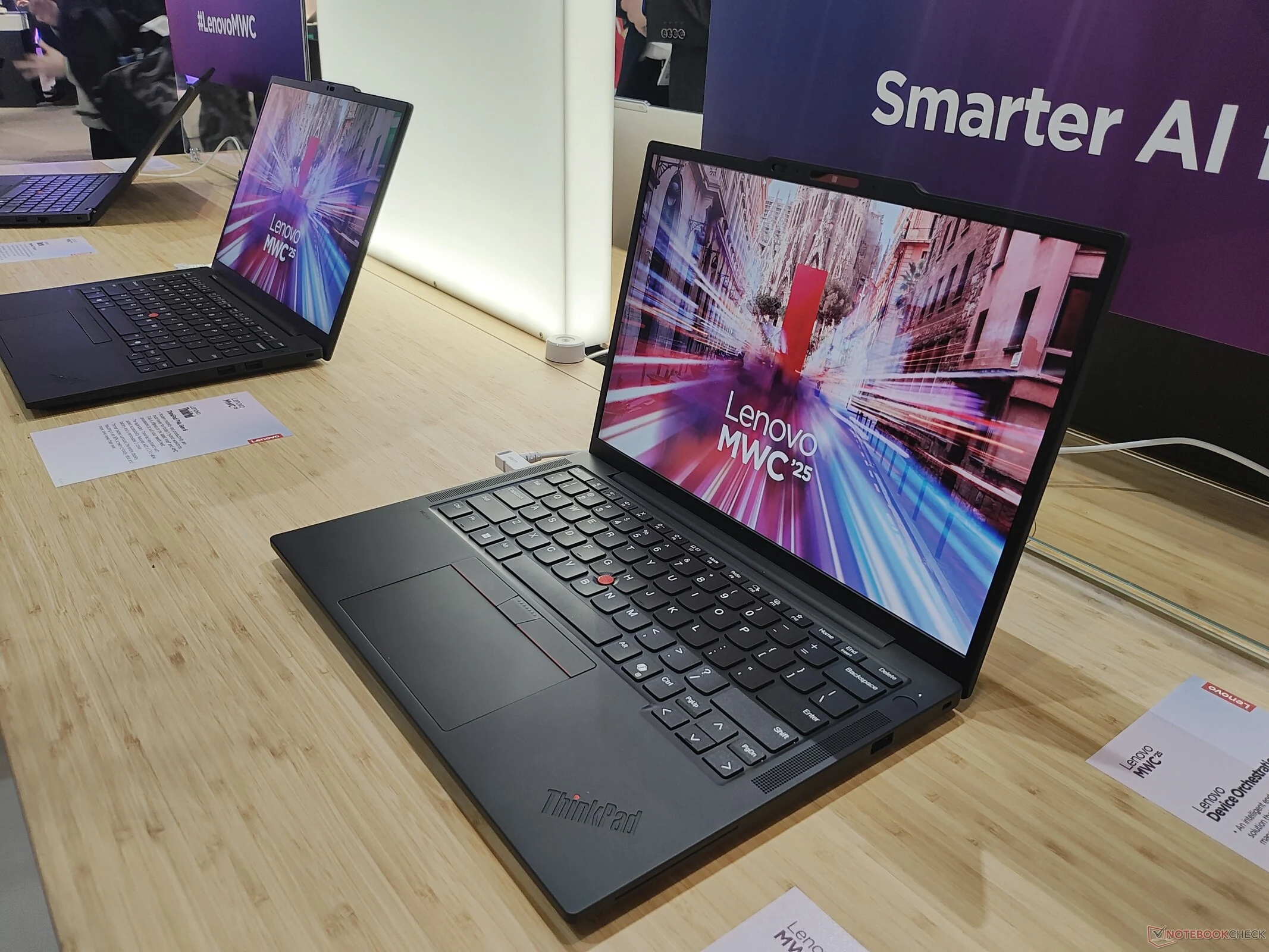
    At this year’s Mobile World Congress (MWC) held in Barcelona, Lenovo unveiled seven new ThinkPad laptop models. The highlight in the business category was the Lenovo ThinkPad X13 Gen 6, which we had the chance to examine at the event.

    Design and Features

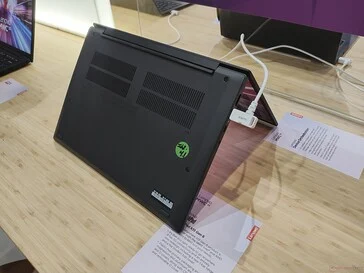
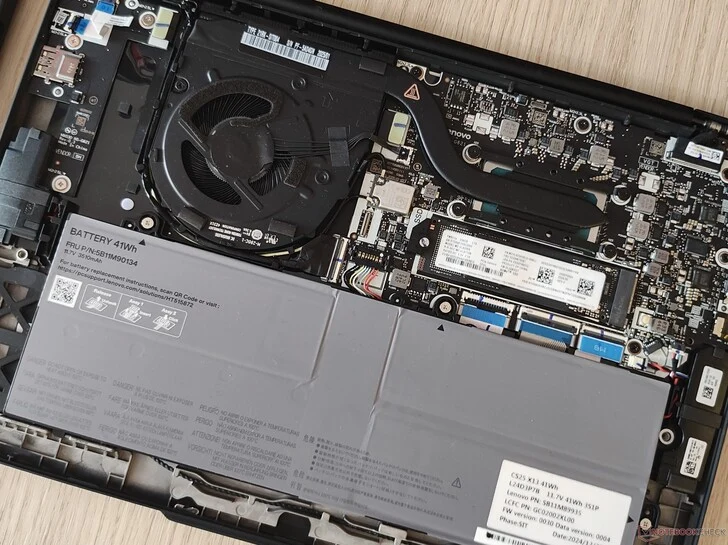
    Upon first inspection, the Lenovo ThinkPad X13 Gen 6 resembles its predecessor, the X13 G5 (available on Amazon). This isn’t shocking, as Lenovo often sticks to familiar designs with its ThinkPad series. However, the X13 G6 is actually a fresh redesign, built entirely from scratch. While the general design stays consistent, there are notable changes upon closer examination. For instance, Lenovo has cut down the screws securing the bottom cover from five to four, which reduces weight and makes repairs easier. On the downside, one of the USB-A ports has been removed to save on weight as well.

    Weight and Performance

    For the first time, Lenovo can proudly claim that the X13 weighs less than one kilogram, even with the larger battery installed. This is only accurate for the Intel version, as the AMD model necessitates a more robust cooling system, pushing its weight beyond 1 kg. The same applies to models equipped with a 5G modem.

    Competition and Specifications

    A crucial question for Lenovo is how the new ThinkPad X13 fits within its ThinkPad lineup. The X1 Carbon serves as a significant competitor internally. Lenovo distinguishes these two models primarily through pricing, with the X13 being much more budget-friendly compared to the X1 Carbon. There are also differences in configuration options: the X13 G6 can be equipped with AMD processors, while the Intel-exclusive X1 Carbon Gen 13 does not offer this choice. Unlike the X1 Carbon, the X13 Gen 6 lacks the Lunar Lake architecture, allowing it to support up to 64 GB of RAM.

    Display and Materials

    Another key difference is that high-end OLED displays are reserved for the ThinkPad X1. In contrast, the X13 focuses on portability, utilizing only power-efficient WUXGA IPS screens. This approach helps keep the costs down for the X13, creating a larger price gap with the X1 Carbon.

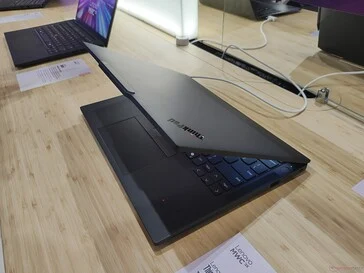
    The selection of materials can be a bit confusing for customers, given the various combinations available: carbon fiber or standard plastic for the screen cover, and magnesium or aluminum for the bottom cover. The new design includes a wide one-bar hinge, aimed at enhancing stability while allowing for a smaller screen cover. Additionally, the screen cover is now flat, unlike the slightly curved design of its predecessor.

    Conclusion

    Overall, prioritizing a lightweight design makes a lot of sense for the ThinkPad X13 Gen 6 in our opinion. The Lenovo ThinkPad X1 Carbon Gen 13 also weighs less than a kilogram, meaning a heavier X13 would struggle in the marketplace. While the ThinkPad X1 Nano may no longer be available, Lenovo now offers two ThinkPads competing in the same weight category: the smaller, more economical X13 G6 and the larger premium X1 Carbon G13.