
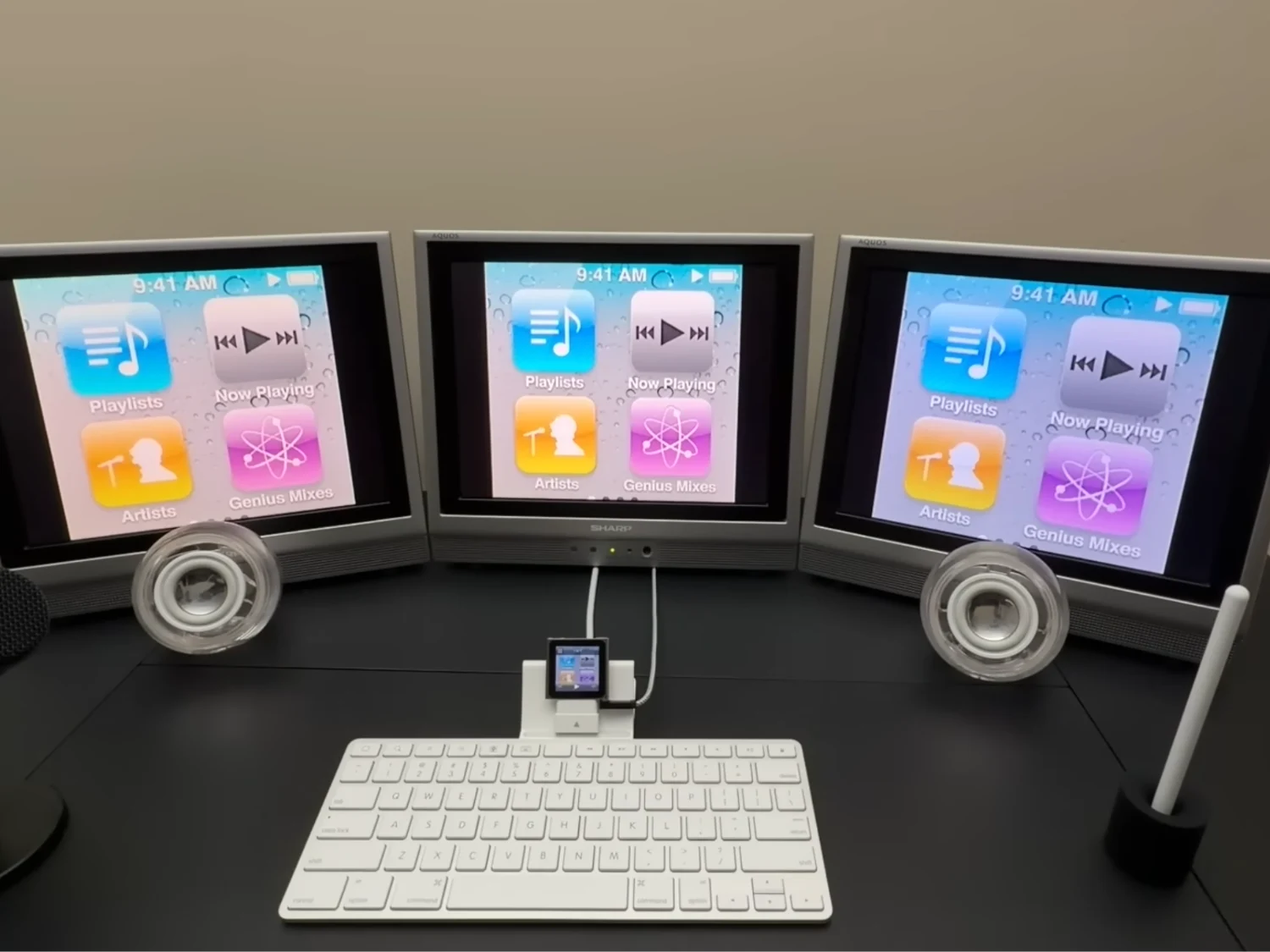
1. The 6th generation iPod Nano can be repurposed as a multi-monitor setup using its legacy composite video output and adapters.
2. A non-functional Apple iPad Keyboard Dock is used for structural support and access to video output, despite lacking keyboard functionality.
3. The build employs vintage audio peripherals with a USB-C powered amplifier and adapters to manage high-fidelity sound and voice recording.
4. Software limitations restrict the Nano to basic media functions like slideshows and music playback; modern web browsing isn’t possible.
Innovative uses for old Apple gadgets
Tech geeks often find creative ways to reuse their old Apple devices, turning them into something totally different then what they was originally meant for. For example, a recent video from the channel Will It Work? show how a 6th generation iPod Nano, which normally just plays music, was transformed into a multi-monitor setup. This small media player, famous for its design and simplicity, doesn’t support multiple screens by default. But because it got a 30-pin connector that can send analog video signals, it was possible to connect it to multiple displays using some clever adapters.
The setup details
To make this work, the builder used an Apple iPad Keyboard Dock, which acts like a physical computer interface for the Nano. Though, the keyboard itself doesn’t actually work for typing due to limitations in the software, but the dock is helpful because it holds the Nano and gives access to its composite video output. The video signal from the Nano is sent through a 30-pin to composite cable, then split to three Sharp Aquos TV screens that are quite old but still work well. These TVs from the early 2000s could display the image from the Nano simultaneously, creating a triple-monitor setup from a device that wasn’t meant for that at all.
Audio system challenges & solutions
The project didn’t just stop at video. Getting decent sound from vintage equipment needed some hacks too. They used a pair of Apple Pro Speakers, which normally need a special power ring to work properly. Instead of that, the builder used an inexpensive JC Hi-Fi USB-C powered amplifier to boost the Nano’s sound. For microphone input and voice recording, they added a Maono XLR-to-3.5mm splitter, making the tiny Nano serve as a central hub for both visuals and audio. It wasn’t a simple task, but these vintage parts were adapted with modern gear to make them work together.
Software & limitations
The Nano still runs on its original old iPod OS, so it can only do basic functions. It’s capable of showing photos or playing music, and all this gets mirrored across the three screens with basically no lag. But it can’t browse the internet like a modern device, highlighting that although this setup is a bit outdated tech-wise, it proves that legacy hardware and old signal connections can be repurposed for fun, innovative projects—if you have the right adapters and ideas.