
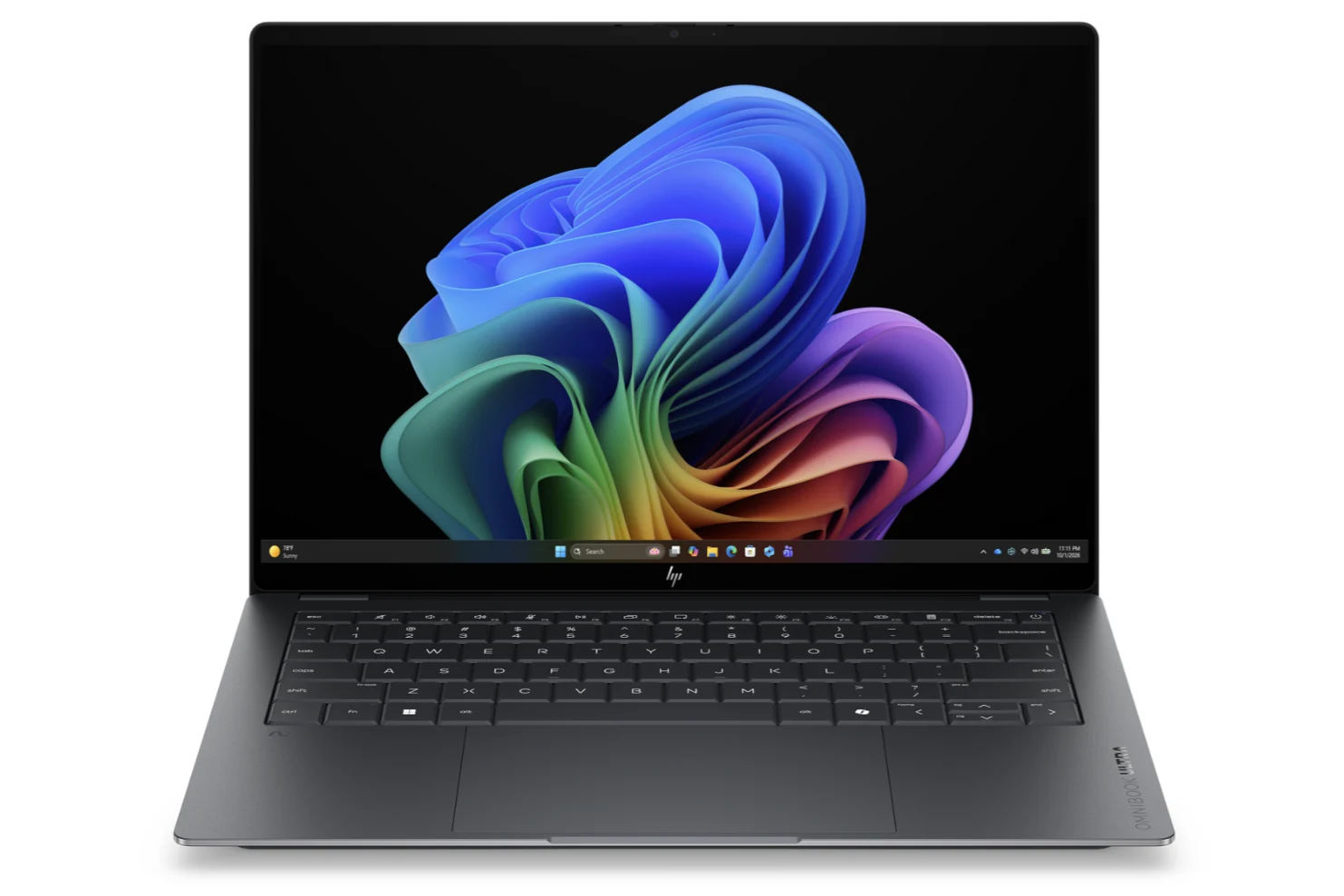
Tag: HP OmniBook Ultra 14

  • Core Ultra X9 388H Slower Than X7 386H in Benchmarks

    Core Ultra X9 388H Slower Than X7 386H in Benchmarks

    Key Takeaway

    – Core Ultra X7 and X9 share identical specifications, differing only in clock speeds.
    – Actual performance depends more on cooling solutions than the processor model, so an X7 laptop can outperform an X9 laptop.
    – HP OmniBook Ultra 14 (X9) was 11% slower in multi-threaded and 7% slower in graphics than Asus Zenbook Duo (X9), and even slower than some X7 laptops.
    – Recommendation: Choose Core Ultra X7 over X9 to save money, as real-world performance differences are negligible.
    – Caution: Some laptops offer only the X9 option, forcing a premium for little to no benefit.


    The Panther Lake-X series currently comes in two flavors: the Core Ultra X7 386H and Core Ultra X9 388H. The two CPUs differ only in target clock rates as they otherwise share the exact same core count and features. In practice, this means that laptops sporting the Core Ultra X9 may sometimes run slower than laptops with the Core Ultra X7 depending on how effective their overlying cooling solutions are.

    Performance Quirks and Real World Testing

    The first two models sporting the Core Ultra X9 in our tests include the Asus Zenbook Duo and the HP OmniBook Ultra 14. Unfortunately for HP, the OmniBook is roughly 11 percent and 7 percent slower than the Asus in multi-threaded workloads and graphics performance, respectively. The delta is wide enough that the HP is slower than many laptops sporting the Core Ultra X7 including the Dell XPS 14 or Asus ExpertBook Ultra. The difference may be just a few percentage points, but they are nonetheless consistent enough in benchmarks to be notable.

    Pricing and Specification Details

    The narrow and sometimes unreliable performance gap between the Core Ultra X7 and Core Ultra X9 means that we recommend considering the Core Ultra X7 over the X9 whenever possible to save a few hundred dollars. Buyers will be unlikely to notice any minor performance advantages with the X9 and the money saved can instead be invested in other aspects like additional RAM or storage.

    Buyers Beware and Market Options

    At the moment, some laptops ship with the Core Ultra X9 but without any X7 options including the OmniBook Ultra 14. Buyers may then want to be careful as this essentially forces them to pay a premium for the X9 even when it undoubtedly offers little to no benefits over the X7. More benchmarks and comparisons with the Panther Lake-X9 can be found on our review of the aforementioned HP model.


    Sources
    • HP Launches 14-Inch Laptops with Up to 64GB RAM and 1100 Nit OLED Screen

      HP Launches 14-Inch Laptops with Up to 64GB RAM and 1100 Nit OLED Screen

      Key Takeaway

      1. HP’s new OmniBook Ultra 14 series shifts from AMD to Intel and Qualcomm processors for 2026 models, offering configurations up to the Core Ultra X9 388H or Snapdragon X2 Elite X2E-90-100.
      2. The display features a 14-inch 2.8K OLED with a 120 Hz VRR refresh rate, 500 nits SDR, and 1,000 nits HDR brightness.
      3. Pricing varies widely depending on the configuration, with high-end models reaching over $2,400, influenced significantly by RAM, storage options, and processor choices.

      Introduction to the New OmniBook Ultra 14 Series

      HP has finally Initiated the transition from last year’s OmniBook Ultra 14 to the newer 2026 fresh lineup. In this latest versions, they shift their focus from AMD to Intel and Qualcomm processors, marking a big change in their product strategy. These new models, previewed in January, are told to feature options like the Core Ultra X9 388H and the Snapdragon X2 Elite X2E-90-100 which were announced during CES 2026.

      Features and Display

      The upgraded 14-inch laptops are packed with impressive specifications such as support for up to 64 GB of RAM and flaunt a 2.8K OLED screen. This display, mirroring the recent Lenovos, comes with a 120 Hz VRR refresh rate and brightness levels hitting 500 nits in SDR and 1,000 nits for HDR, offering a vivid visual experience that will surely attract tech enthusiasts. The contrasts in configurations cater to different user needs making the line quite versatile.

      Pricing Details and SKU Differences

      The pricing differs greatly depending on whether you choose Snapdragon or Panther Lake options. On Best Buy, the Snapdragon Ultra 14 costs a hefty $2,049 with a Snapdragon X2 Elite X2E-90-100, 32 GB RAM, and 1 TB storage. In contrast, the Panther Lake models start at $1,699 with a Core Ultra 7 356H, 16 GB RAM, and 512 GB storage, offering a more budget-friendly entry point. But, matching a Panther Lake SKU with similar specs hikes up the costs, often hitting over $2,300 to $2,400.

      Upgrades and Additional Costs

      Note that boosting the RAM from 32 GB to 64 GB alone costs HP around $500, and upgrading the SSD to 2 TB would add approximately $180 extra. Switching to the more powerful Core Ultra X9 388H for additional graphics capabilities like Arc B390 increases the price by about $80 compared to the Core Ultra 9 386H. As per HP’s info, these models will soon be available in European markets, making them more accessible to international buyers.