
Key Takeaways
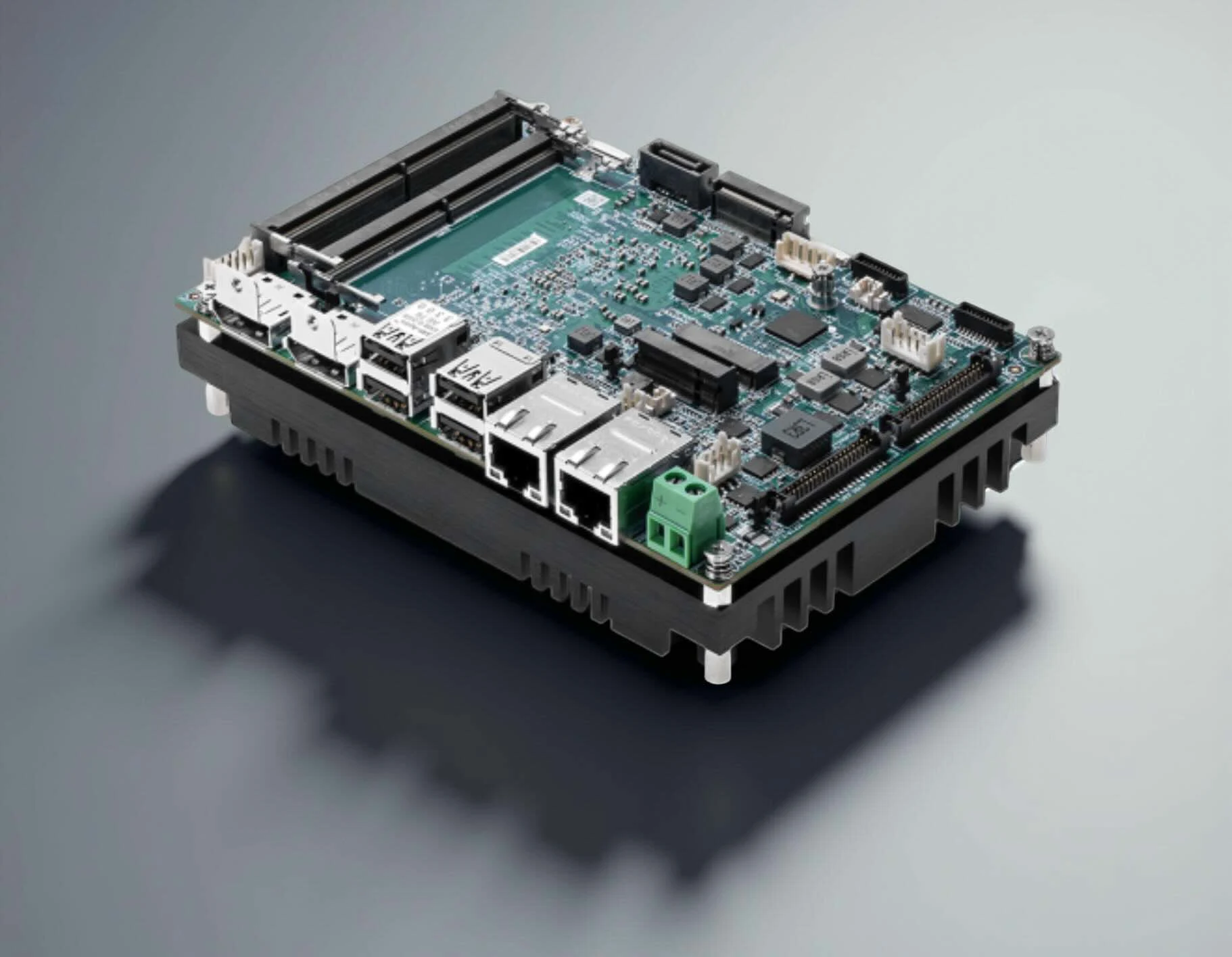
1. MSI has launched the fanless MS-CF19 single-board computer (SBC) featuring Intel’s Core Ultra processors.
2. The SBC supports up to 96 GB of DDR5 RAM and offers multiple CPU options, including the high-performance Core Ultra 7 265U.
3. The design promotes quiet operation due to its passively cooled architecture.
4. It includes a fan header for optional active cooling, catering to diverse user needs.
5. Pricing and availability details for the MS-CF19 are currently unclear.
MSI has introduced a new fanless single-board computer (SBC) featuring robust Intel processors, known as the MS-CF19. Currently, the pricing and availability of this product are not clear, but all specifications have been provided. This 3.5-inch SBC is designed to be compact, and its passively cooled architecture ensures quiet operation.
Specifications and Performance
The MS-CF19 SBC will offer various models equipped with Intel’s Core Ultra 100U and 200U processors, along with a maximum of 96 GB of DDR5 RAM in dual SODIMM slots. At the top tier, there’s the Core Ultra 7 265U “Arrow Lake-U” chip that boasts 12 cores and 14 threads, delivering performance that competes with Apple’s M2 chip.
Other available CPU choices include those from the Meteor Lake-U range (Core Ultra 7 165/155U and Core Ultra 5 135/125U) and Arrow Lake-U series (Core Ultra 5 235/225U). While the device is designed to operate without a fan, LinuxGizmos has noted the presence of a fan header, which seems to be for users who might want to add active cooling. As anticipated for an SBC aimed at industrial applications, the MS-CF19 is equipped with a wide array of communication, expansion, and networking features, detailed below.
Additional Information
As previously stated, the pricing for the MS-CF19 SBC remains uncertain at this time. For those interested in learning more about the product, they can visit its official product page on MSI’s website.
MSI, as pointed out by LinuxGizmos,
Source:
Link